AI Tools for Software Engineers: Automate Dev Workflows in 60 Seconds
Software engineers spend 30-40% of their time on repetitive tasks: writing documentation, code reviews, bug triage, deployment checks, and meeting summaries. Custom AI tools can automate these workflows instantly—without writing any automation code yourself.
Whether you're a frontend developer managing component documentation, a backend engineer handling API specs, or a DevOps engineer automating deployment checklists, building AI tools for software development can save you 10+ hours weekly.
Why Software Engineers Need Custom AI Tools
Generic AI coding assistants can't handle your specific workflows, tech stack, and team conventions. Custom AI tools offer:
- Project-specific automation - Tailored to your codebase and standards
- Zero maintenance - No scripts to debug or update
- Instant deployment - Built and shared in under 60 seconds
- Team-wide adoption - No installation, works in browser
- Consistent output - Follows your team's conventions every time
- Free up senior time - Automate what you'd delegate to juniors
Real Software Engineering AI Tools You Can Build
Code Documentation Tools
API Documentation Generator:
- Input: Code file or endpoint definitions
- Output: Complete API documentation with examples
- Use case: REST/GraphQL API documentation
- Time saved: 20 minutes per endpoint
- Impact: Always up-to-date documentation
Component Documentation Writer:
- Input: React/Vue component code
- Output: Props documentation, usage examples, Storybook stories
- Use case: Component library maintenance
- Time saved: 15 minutes per component
- Impact: Better component adoption
README Generator:
- Input: Project structure, package.json, key files
- Output: Comprehensive README with setup, usage, contributing sections
- Use case: Open source and internal projects
- Time saved: 45 minutes per project
- Impact: Faster onboarding
Code Comment Analyzer:
- Input: Code file
- Output: Quality report on comments, suggested improvements
- Use case: Code quality reviews
- Time saved: 10 minutes per file
- Impact: Better code maintainability
Code Review Tools
PR Description Generator:
- Input: Git diff or changed files list
- Output: Detailed PR description with context, testing notes
- Use case: Pull request workflow
- Time saved: 8 minutes per PR
- Impact: Better PR reviews
Code Review Checklist Creator:
- Input: PR diff, file types changed
- Output: Customized review checklist based on changes
- Use case: Systematic code reviews
- Time saved: 5 minutes per review
- Impact: Fewer bugs shipped
Security Vulnerability Scanner Summarizer:
- Input: Dependency audit output, security scan results
- Output: Prioritized vulnerability list with fix recommendations
- Use case: Security audit reviews
- Time saved: 30 minutes per scan
- Impact: Faster security fixes
Breaking Change Detector:
- Input: API changes, schema modifications
- Output: Breaking change report with migration guide
- Use case: Version releases
- Time saved: 25 minutes per release
- Impact: Smoother upgrades
Bug Triage & Issue Management Tools
Bug Report Formatter:
- Input: Raw bug description from user
- Output: Structured bug report with repro steps, environment
- Use case: Customer support escalations
- Time saved: 7 minutes per bug
- Impact: Faster bug resolution
Stack Trace Analyzer:
- Input: Error stack trace
- Output: Root cause analysis, suggested fixes, similar issues
- Use case: Bug investigation
- Time saved: 15 minutes per error
- Impact: Faster debugging
Issue Priority Scorer:
- Input: GitHub/Jira issue description
- Output: Priority score with justification
- Use case: Sprint planning
- Time saved: 3 minutes per issue
- Impact: Better sprint planning
Duplicate Issue Detector:
- Input: New issue description
- Output: Existing similar issues with match confidence
- Use case: Issue triage
- Time saved: 5 minutes per issue
- Impact: Reduced duplicate work
DevOps & Deployment Tools
Deployment Checklist Generator:
- Input: Service name, environment, PR list
- Output: Complete pre-deployment and rollback checklist
- Use case: Production deployments
- Time saved: 10 minutes per deploy
- Impact: Fewer deployment incidents
Infrastructure Config Validator:
- Input: Terraform/CloudFormation files
- Output: Security and best practice validation report
- Use case: Infrastructure code reviews
- Time saved: 20 minutes per config
- Impact: More secure infrastructure
CI/CD Pipeline Failure Analyzer:
- Input: Pipeline logs, failed step details
- Output: Failure reason summary, fix suggestions
- Use case: Build debugging
- Time saved: 15 minutes per failure
- Impact: Faster pipeline fixes
Service Health Report Generator:
- Input: Monitoring metrics, alerts, logs
- Output: Executive summary of service health
- Use case: Incident reviews, status updates
- Time saved: 25 minutes per report
- Impact: Better stakeholder communication
Testing & QA Tools
Test Case Generator:
- Input: Function signature and description
- Output: Unit test cases covering edge cases
- Use case: TDD workflow
- Time saved: 12 minutes per function
- Impact: Better test coverage
Integration Test Scenario Creator:
- Input: API endpoints, service dependencies
- Output: E2E test scenarios with test data
- Use case: Integration testing
- Time saved: 30 minutes per service
- Impact: Comprehensive test suites
Test Data Generator:
- Input: Database schema or API models
- Output: Realistic test data with edge cases
- Use case: QA environment setup
- Time saved: 20 minutes per schema
- Impact: Better test data quality
Test Coverage Analyzer:
- Input: Coverage report output
- Output: Gaps summary, suggested test additions
- Use case: Coverage improvement
- Time saved: 15 minutes per analysis
- Impact: Targeted testing efforts
Meeting & Communication Tools
Sprint Planning Notes Generator:
- Input: Meeting transcript or notes
- Output: Story point estimates, capacity planning, blockers
- Use case: Agile ceremonies
- Time saved: 15 minutes per meeting
- Impact: Better sprint planning
Technical Design Doc Writer:
- Input: Feature requirements, constraints
- Output: Structured design doc with architecture, APIs, data models
- Use case: Feature planning
- Time saved: 90 minutes per doc
- Impact: Better technical alignment
Incident Postmortem Generator:
- Input: Incident timeline, root cause, resolution
- Output: Complete postmortem with action items
- Use case: Post-incident reviews
- Time saved: 45 minutes per incident
- Impact: Actionable learnings
Architecture Decision Record (ADR) Writer:
- Input: Decision context, options considered
- Output: Formatted ADR document
- Use case: Technical decision documentation
- Time saved: 30 minutes per ADR
- Impact: Better architectural history
Database & Data Tools
SQL Query Explainer:
- Input: Complex SQL query
- Output: Plain English explanation, performance notes
- Use case: Query reviews, learning
- Time saved: 10 minutes per query
- Impact: Better SQL understanding
Database Migration Script Generator:
- Input: Schema changes needed
- Output: Safe migration script with rollback
- Use case: Schema changes
- Time saved: 25 minutes per migration
- Impact: Safer migrations
Data Model Documentation Creator:
- Input: Database schema export
- Output: ERD description, relationship docs
- Use case: Data documentation
- Time saved: 60 minutes per database
- Impact: Better data understanding
API Response Mock Generator:
- Input: API specification or schema
- Output: Realistic mock response data
- Use case: Frontend development
- Time saved: 10 minutes per endpoint
- Impact: Parallel dev work
How to Build Your First Software Engineering AI Tool
Step 1: Access the AI Tool Builder
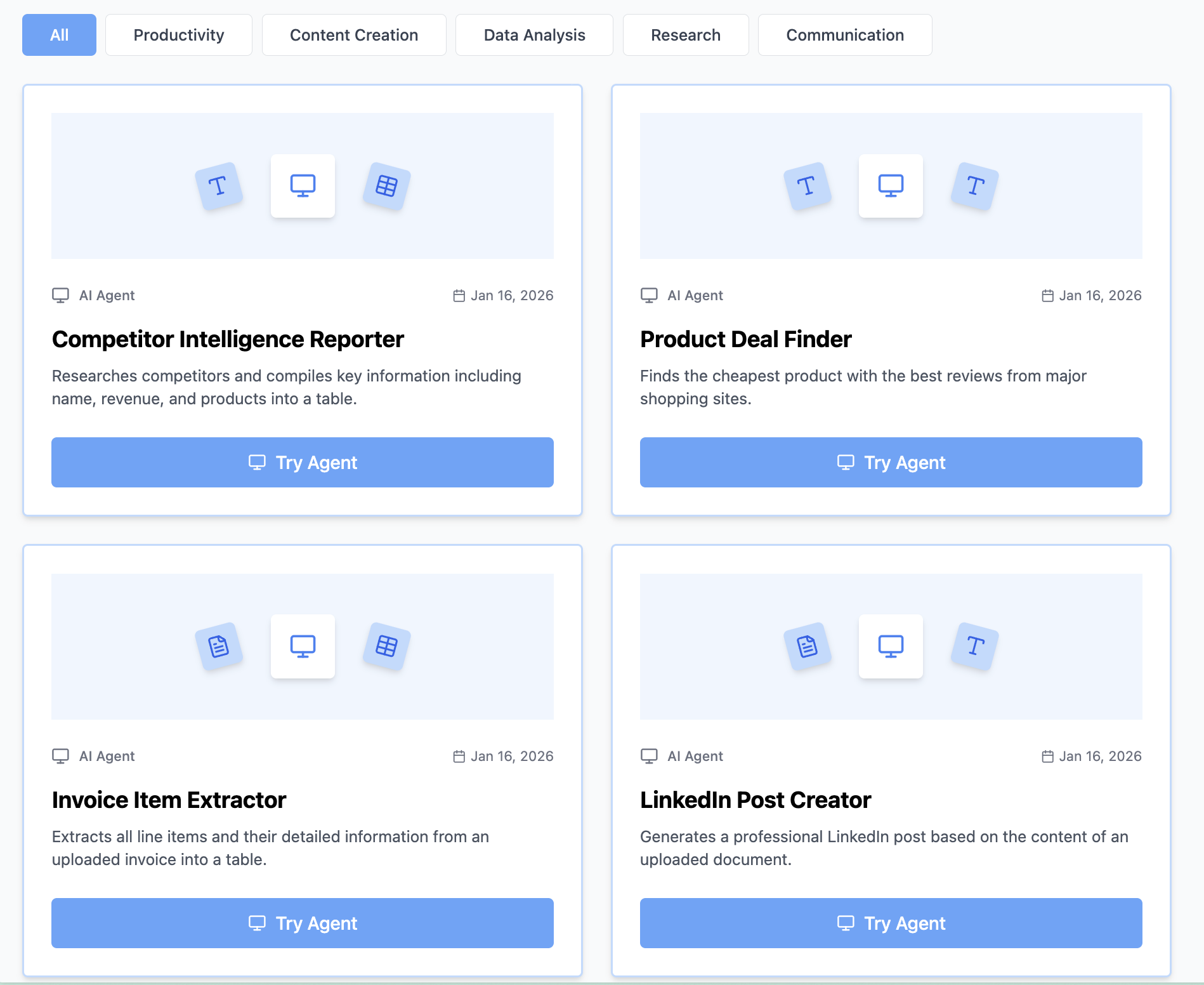
Visit https://www.miskies.app/agents and click "Create+".
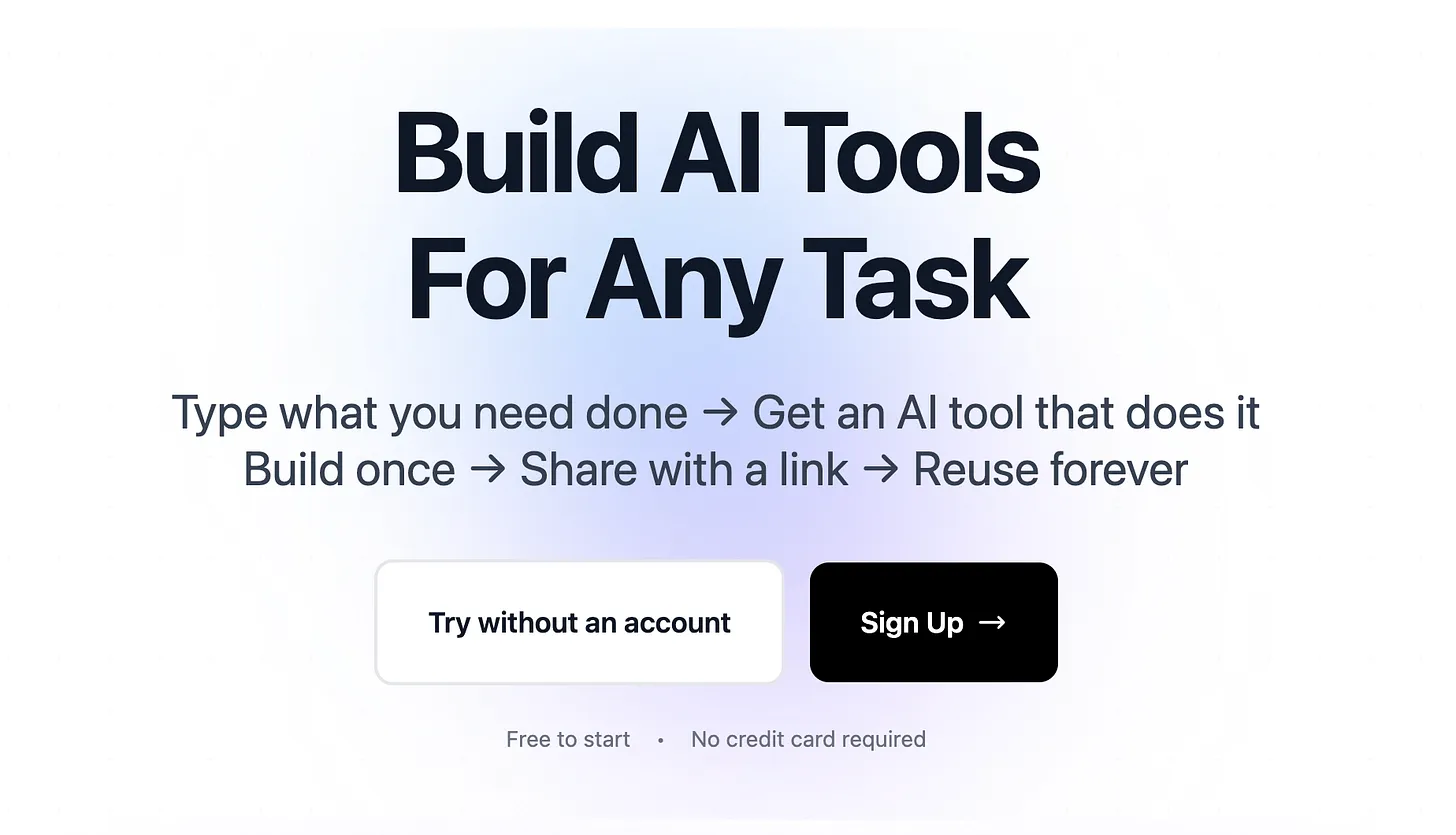
Pro tip: Think about the task you most dread or that juniors always ask about—that's your first tool.
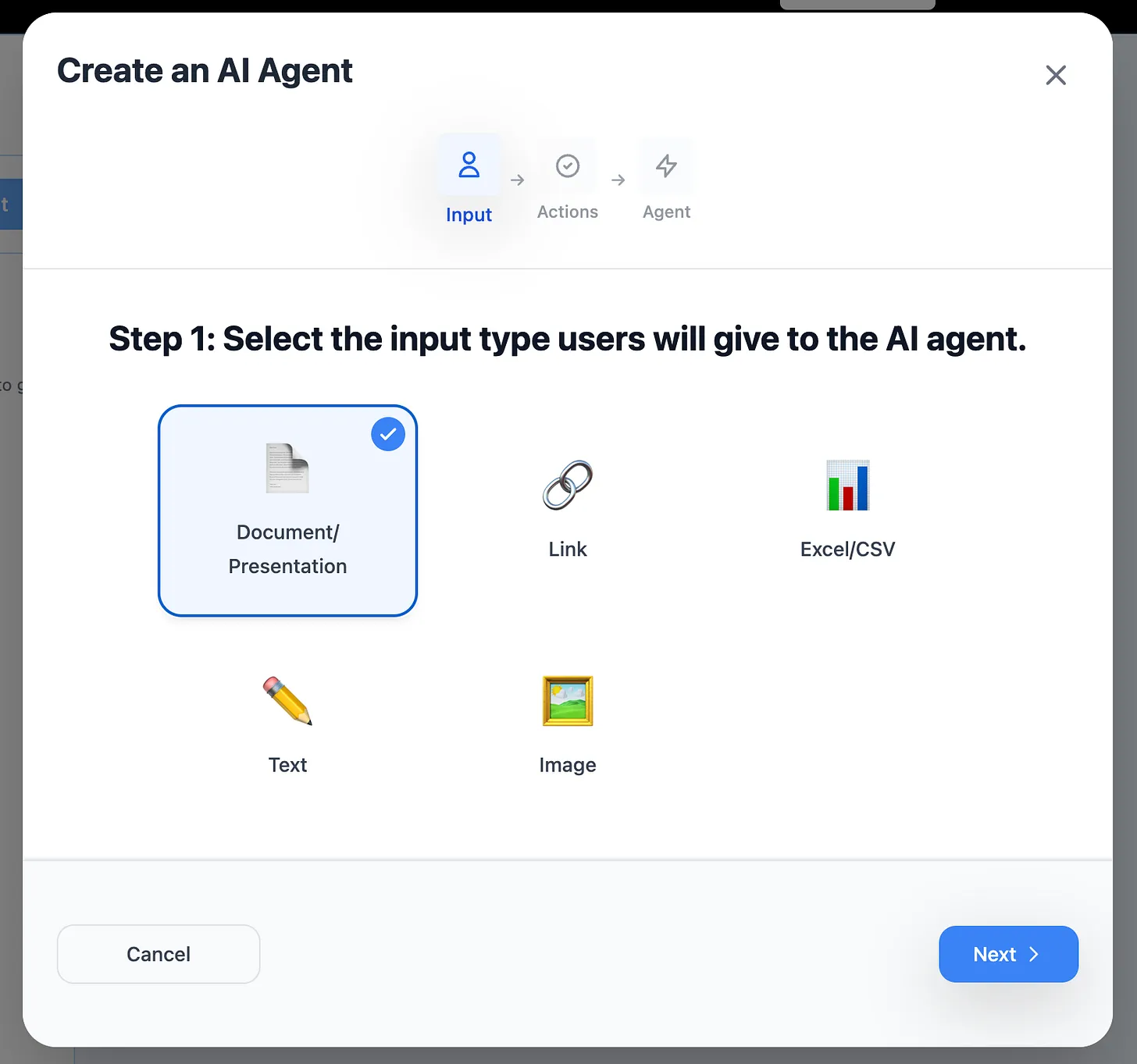
Step 2: Choose Your Input Type
Text Input:
- Code snippets, error messages, requirements
- Best for: documentation, analysis, generation
- Examples: PR description writers, bug formatters
File Upload:
- Code files, logs, configuration files
- Best for: code review, analysis, documentation
- Examples: README generators, test coverage analyzers
Link Input:
- GitHub issues, PR links, documentation pages
- Best for: aggregation, summarization, analysis
- Examples: issue analyzers, changelog generators
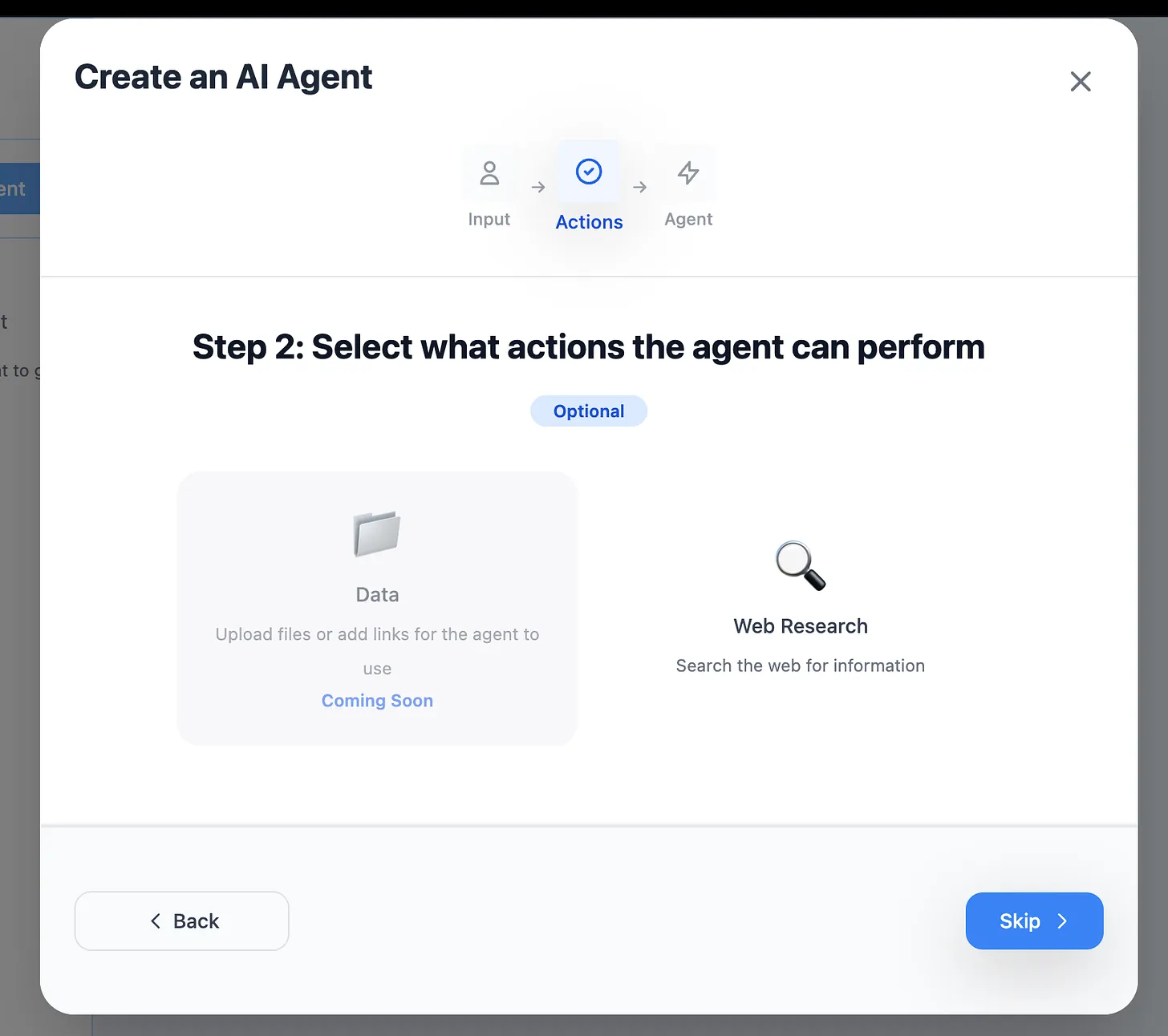
Step 3: Enable Web Research (Optional)
Enable for:
- Library documentation lookups
- Best practice searches
- Error message searches
- Latest framework patterns
Skip for:
- Code review tools
- Internal documentation
- Test generation
- Code formatting
Step 4: Describe Your Engineering Tool
Be specific about tech stack, conventions, and output format.
Example: PR Description Generator
"Analyze the git diff and generate a pull request description using this format:
Summary
Brief overview of changes in 2-3 sentences
Changes
- List each major change with technical details
- Include file paths for significant modifications
- Note any breaking changes in bold
Testing
- Unit tests added/modified
- Integration tests needed
- Manual testing performed
Deployment Notes
- Database migrations required: yes/no
- Feature flags needed: list if applicable
- Environment variables: list if needed
Use technical language appropriate for senior engineers. Flag any security-sensitive changes. Include Jira ticket references if found in commit messages."
Example: API Documentation Generator
"Generate comprehensive API documentation for the provided endpoint code:
Endpoint: Include HTTP method and path Description: Clear explanation of endpoint purpose Authentication: Required auth method Request Parameters:
- Path parameters with types
- Query parameters with types and defaults
- Request body schema with example JSON
Response:
- Success response (200) with example JSON
- Error responses (400, 401, 404, 500) with examples
- Response field descriptions
Code Example: cURL, JavaScript fetch, Python requests
Follow OpenAPI 3.0 style.
Example: Bug Report Formatter
"Convert user-submitted bug description into structured bug report:
Title: Clear, specific bug title (max 80 chars)
Environment:
- Browser/OS/Device
- App Version
- User Role/Permissions
Steps to Reproduce:
- Numbered, specific steps
- Include exact values entered
- Note any prerequisites
Expected Behavior: What should happen
Actual Behavior: What actually happened
Additional Context:
- Error messages (exact text)
- Screenshots mentioned: yes/no
- Frequency: always/sometimes/once
- Workarounds: if any known
Priority: Assign P0-P3 based on:
- P0: App broken/data loss
- P1: Major feature broken
- P2: Minor feature broken
- P3: UI/UX issue
Extract all information from user's description. If critical info missing, note as [NEEDS CLARIFICATION]."
Step 5: Generate and Test Your Tool
Click "Design Agent" and wait 5-10 seconds.
Test with real examples:
- Use actual code from your repos
- Test with recent PRs
- Try edge cases (empty files, huge diffs)
- Verify formatting matches your team's style
Engineering-Specific Best Practices
Follow Your Team's Conventions
Include style guides: "Follow our TypeScript style guide: PascalCase for types, camelCase for functions, 2-space indentation. Use interface over type for object shapes. Prefer const over let."
Reference internal standards: "Use our REST API conventions: plural resource names, POST for creation returns 201, include Location header. Error responses use RFC 7807 Problem Details format."
Match documentation style:
"Follow our doc template structure: Purpose, Prerequisites, Setup, Usage, Examples, Troubleshooting. Code blocks should specify language. Use code for inline commands."
Optimize for Your Tech Stack
Frontend-specific: "Generate React 18+ functional components using hooks. Include TypeScript types. Follow our component structure: imports, types, component, styles. Export default component, named export for types."
Backend-specific: "Generate Express middleware following our patterns: async/await, error handling with next(err), input validation with Joi. Include OpenAPI annotations in JSDoc comments."
DevOps-specific: "Follow our Terraform conventions: use modules for repeated resources, tag all resources with Environment, Application, and Owner. Use remote state with S3 backend."
Handle Code Context
Reference related files: "If analyzing test files, look for the source file being tested. Include test coverage notes. Suggest additional test cases for uncovered branches."
Consider dependencies: "Check imported dependencies. Flag deprecated APIs. Suggest modern alternatives. Note breaking changes in major version upgrades."
Understand patterns: "Recognize common patterns: Repository pattern, Factory pattern, Observer pattern. Suggest pattern improvements if code doesn't follow established patterns."
Generate Production-Ready Output
Include error handling: "Generate code with proper error handling: try-catch blocks, null checks, type guards. Include error logging. Handle edge cases like empty arrays, null values."
Add observability: "Include logging statements at key points: function entry/exit, error cases, external API calls. Use structured logging format."
Consider performance: "Suggest performance optimizations: use memoization for expensive calculations, prefer Map/Set over Array.find, lazy load large modules, paginate large datasets."
Real-World Impact: Engineering Team Case Studies
Case Study: Startup Engineering Team (8 developers)
Challenge: Each engineer spent 45 min daily on PR descriptions and code reviews
Tools Built:
- PR Description Generator
- Code Review Checklist Creator
- Breaking Change Detector
Results:
- 6 hours saved daily across team
- 30 hours weekly recovered for feature work
- Reduced review time per PR by 40%
- Better PR quality (95% include testing notes now)
- Team velocity increased 25%
- Annual time savings: 1,500+ hours
Case Study: Enterprise Backend Team (25 engineers)
Challenge: API documentation always outdated, slowed frontend development
Tools Built:
- API Documentation Generator
- API Response Mock Generator
- Breaking Change Report Creator
Results:
- Documentation generated in 2 minutes vs. 30 minutes manually
- Frontend team unblocked (can develop before backend complete)
- 18 fewer Slack interruptions daily asking about APIs
- Reduced API-related bugs by 60%
- Parallel development enabled
- 2 weeks saved per quarter on documentation
Case Study: DevOps Team (5 SREs)
Challenge: Incident postmortems took 2+ hours, often delayed
Tools Built:
- Incident Postmortem Generator
- Service Health Report Creator
- Deployment Checklist Generator
Results:
- Postmortems completed within 1 hour of incident resolution
- Executive stakeholder reports in 5 minutes vs. 30 minutes
- Zero deployment rollbacks due to checklist tool
- Improved incident learnings documentation
- Annual time savings: 400+ hours
- Reduced MTTR by 35%
Case Study: Open Source Maintainer
Challenge: 20+ GitHub issues weekly, many duplicates or missing info
Tools Built:
- Bug Report Formatter
- Duplicate Issue Detector
- Issue Priority Scorer
Results:
- 70% reduction in "needs more info" responses
- Duplicate detection saved 40+ hours yearly
- Priority scoring improved sprint planning
- Contributors submit better issues
- Maintainer burnout reduced
- 20% more time for feature development
Advanced Software Engineering Tool Strategies
Build a Team Tool Library
Organize by workflow:
Development Phase:
- README generator
- Component documentation writer
- Test case generator
- API mock generator
Code Review Phase:
- PR description generator
- Review checklist creator
- Breaking change detector
- Security scanner summarizer
Deployment Phase:
- Deployment checklist generator
- Rollback plan creator
- Health check report generator
- Changelog generator
Maintenance Phase:
- Bug report formatter
- Stack trace analyzer
- Incident postmortem generator
- Technical debt tracker
Integrate into Development Workflow
GitHub Actions integration:
- Trigger tool via webhook
- Process PR data automatically
- Post results as PR comment
- Update PR description
Slack workflow:
- Slash command triggers tool
- Developer provides input in modal
- Tool processes and responds
- Results posted to thread
CI/CD pipeline integration:
- Run tool as pipeline step
- Generate deployment checklist
- Require approval before deploy
- Post results to monitoring channel
Create Team-Specific Conventions
Code style enforcement:
"All TypeScript code must include: JSDoc comments for public functions, explicit return types, no any types except in type guards, prefer readonly for arrays and objects that don't mutate."
Documentation requirements: "Every API endpoint must document: authentication method, rate limits, pagination (if applicable), example request/response, error codes. Use OpenAPI 3.0 format."
Testing standards: "Every PR must include: unit tests for new functions (80% coverage minimum), integration tests for new endpoints, updated E2E tests if user flow changed. Include test data setup and teardown."
Measure Engineering Productivity Impact
Track metrics:
- Average PR review time
- Time from commit to deploy
- Documentation coverage percentage
- Bug resolution time
- Test coverage trends
- Technical debt reduction
Calculate ROI:
Tool Build Time: 2 minutes
Tool Usage: 15 times/week
Time Saved: 10 min/use
Weekly Savings: 150 minutes (2.5 hours)
Annual Savings: 130 hours per engineer

Cost: $0 (free tier)
Benefit: 130 hours × hourly rate
ROI: Infinite (no cost)
Share Tools Across Engineering Organization
Documentation template:
# Tool Name

## Purpose
One-sentence description

## When to Use
Specific scenarios (2-3 bullets)

## Input Format
Exactly what to provide

## Output Format
What you'll receive

## Example Usage
Real example with actual input/output

## Tips
Best practices and gotchas
Tool Discovery:
- Maintain internal tool directory
- Tag tools by use case and tech stack
- Show usage statistics
- Highlight most popular tools
- Collect feedback and improvement ideas
Common Mistakes When Building Engineering Tools
Mistake #1: Too Generic for Your Stack
Problem: "Generate documentation for this code"
Solution: "Generate JSDoc documentation for TypeScript Node.js code following our conventions: @param includes type and description, @returns includes type, @throws lists possible errors, @example includes code sample. Use our custom tags: @internal, @experimental, @deprecated."
Mistake #2: Ignoring Team Conventions
Problem: Tool outputs don't match team style
Solution: "Follow our PR template exactly:
## Ticket
[JIRA-XXX]

## Summary
[2-3 sentences]

## Testing
- [ ] Unit tests pass
- [ ] E2E tests pass
- [ ] Manually tested in dev

## Deployment Notes
[any special requirements]
Preserve this format exactly."
Mistake #3: Not Handling Edge Cases
Problem: Tool breaks on unusual input
Solution: "Handle edge cases: empty files (return 'No code to document'), syntax errors (return 'Cannot parse - fix syntax first'), very large files >10K lines (return summary only). Never output partial/broken code."
Mistake #4: Wrong Abstraction Level
Problem: Output too high-level or too detailed
Solution: "Generate code review checklist at function level (not line-by-line). Include: function purpose check, error handling verification, edge case coverage, performance considerations, security implications. Skip trivial items like formatting."
Mistake #5: No Context Awareness
Problem: Tool doesn't consider related code
Solution: "When documenting React component, check for: props TypeScript interface (include in docs), imported hooks (explain their purpose), child components (note dependencies), context consumers (document context shape), event handlers (document parameters)."
Engineering Tool Ideas by Domain
Frontend Development
- Component prop type generator
- CSS-in-JS converter
- Redux action/reducer boilerplate
- React Hook dependency array fixer
- Accessibility audit reporter
- Bundle size impact analyzer
- i18n key extractor
- Responsive breakpoint documenter
Backend Development
- REST API endpoint generator
- GraphQL schema documenter
- Database query optimizer suggestions
- Microservice dependency mapper
- Authentication middleware generator
- Rate limiter configuration creator
- Caching strategy recommender
- API versioning migration guide
DevOps & Infrastructure
- Kubernetes manifest validator
- Docker Compose environment documenter
- Terraform module documenter
- CI/CD pipeline optimizer
- Infrastructure cost estimator
- Security group rule analyzer
- Log aggregation query builder
- Monitoring alert creator
Mobile Development
- React Native platform-specific code splitter
- iOS/Android permission documenter
- Deep link configuration generator
- Push notification payload formatter
- App store listing optimizer
- Crash log analyzer
- Release notes generator
- App size optimizer recommendations
Data Engineering
- ETL pipeline documenter
- Data quality check generator
- Schema evolution tracker
- Data lineage documenter
- SQL optimization suggestions
- Data warehouse cost analyzer
- Data catalog entry generator
- Pipeline monitoring alert creator
Machine Learning Engineering
- Model card generator
- Training data statistics summarizer
- Experiment tracking note formatter
- Model evaluation report creator
- Feature engineering documenter
- Hyperparameter search analyzer
- Model versioning guide generator
- Inference endpoint documenter
Security & Code Quality Tools
Security-Focused Tools
Dependency Vulnerability Explainer:
- Input: npm audit / pip safety output
- Output: Prioritized list with severity, affected code, fix recommendations
- Impact: Faster security patching
Secret Scanner Alert Formatter:
- Input: git-secrets or truffleHog output
- Output: Affected commits, rotation procedures, affected systems
- Impact: Faster incident response
Security Header Validator:
- Input: HTTP response headers
- Output: Missing security headers, configuration recommendations
- Impact: Better security posture
Code Quality Tools
Code Smell Detector:
- Input: Code file
- Output: Anti-patterns found, refactoring suggestions
- Impact: Better code maintainability
Technical Debt Tracker:
- Input: TODO comments, code complexity metrics
- Output: Prioritized technical debt backlog
- Impact: Strategic debt paydown
Performance Profiler Analyzer:
- Input: Profiler output (Chrome DevTools, py-spy)
- Output: Bottleneck summary, optimization suggestions
- Impact: Targeted performance improvements
Integration Patterns for Engineering Tools
Git Hook Integration
Pre-commit hook:
# Use AI tool to validate commit message
# Generate conventional commit format
# Check for secrets before commit
Pre-push hook:
# Generate PR description preview
# Check test coverage requirements
# Validate deployment readiness
IDE/Editor Integration
VS Code snippet:
- Trigger tool from editor
- Process selected code
- Insert result at cursor
JetBrains plugin workflow:
- Right-click context menu
- Process file or selection
- Show results in tool window
Command-Line Workflow
Shell alias:
alias gen-pr="pbpaste | ai-tool-cli pr-description | pbcopy"
alias doc-api="cat openapi.yaml | ai-tool-cli api-docs > README.md"
The Future of Engineering AI Tools
Emerging Capabilities
Coming soon to AI tools:
- Multi-file codebase analysis
- Cross-repository dependency mapping
- Automated refactoring suggestions
- Real-time code review during development
- Predictive bug detection
- Automatic test generation from requirements
Staying Ahead as an Engineer
Invest in AI tool skills:
- Build 1 tool per week (52 tools yearly)
- Share tools with team and get feedback
- Join engineering AI communities
- Contribute to internal tool libraries
- Advocate for AI adoption in your org
AI-Augmented Engineering
The new engineering workflow:
- Define requirements (human)
- Generate boilerplate (AI tool)
- Implement logic (human + AI assist)
- Generate tests (AI tool)
- Generate documentation (AI tool)
- Code review (human with AI tool assistance)
- Generate deployment checklist (AI tool)
- Deploy (human with AI monitoring)
Result: 30-50% time savings on non-core engineering work
Get Started Building Engineering AI Tools Today
Stop wasting time on repetitive engineering tasks. Build custom AI tools that automate your most tedious workflows—no scripting required.
Your first engineering tool checklist:
- ✅ Identify your most repeated task
- ✅ Visit Miskies AI Agents
- ✅ Click "Create+"
- ✅ Choose input type for your use case
- ✅ Describe output format with examples
- ✅ Include team conventions and standards
- ✅ Click "Design Agent"
- ✅ Test with real code from your repos
- ✅ Share with team via link
Free to Start • No Coding Required • Works in Browser • Shareable Links • Zero Maintenance
Popular First Tools for Engineers:
Quick wins (5-10 min saved):
- PR description generator
- Bug report formatter
- Commit message standardizer
High-impact (20-30 min saved):
- API documentation generator
- Test case generator
- Code review checklist creator
Game-changers (60+ min saved):
- Technical design doc writer
- Incident postmortem generator
- Architecture decision record writer
Real Engineer Testimonial
"I built a PR description generator in 45 seconds. It's saved me 8 minutes on every PR. That's 6+ hours monthly I now spend on actual coding. My team velocity increased by 20%." — Senior Engineer, Series B SaaS Startup
Need help optimizing your engineering AI tools? Our team understands development workflows and responds within 24 hours.
Join thousands of software engineers using AI tools to automate busywork, focus on real engineering problems, and ship features faster.
Keywords: AI tools for software engineers, developer productivity automation, code documentation automation, engineering workflow automation, AI for programmers, automated code review tools, development tools AI, programming productivity tools, software engineering automation, AI coding tools