How to Build AI Tools in Under 1 Minute (No Coding Required)
Building AI tools used to require extensive programming knowledge, APIs, and hours of development time. Not anymore. Today, anyone can create powerful, custom AI tools that solve specific problems—without writing a single line of code.
Whether you're a business professional automating repetitive tasks, a student creating study aids, or a team leader building workflow solutions, learning how to build AI tools is one of the most valuable skills you can develop in 2026.
Why You Need to Know How to Build AI Tools
Custom AI tools offer unique advantages over generic AI chatbots:
- Solve specific problems - Designed for your exact use case
- Save massive time - Automate repetitive tasks completely
- Share with others - Team members can use without technical knowledge
- No installation needed - Run directly in the browser
- Reusable - Build once, use forever
- Professional results - Consistent, high-quality outputs every time
What Makes a Great AI Tool?
The best AI tools share these characteristics:
✅ Single-purpose - Does one thing exceptionally well
✅ Easy to use - Simple interface anyone can understand
✅ Fast - Produces results in seconds
✅ Shareable - Others can use with just a link
✅ Reliable - Consistent outputs every time
✅ No setup - Works immediately without installation
How to Build AI Tools: Complete Guide
Step 1: Access the AI Tool Builder
Go to https://www.miskies.app/agents - this is where you'll create your AI tools.
Click the "Create+" button to start building your first AI tool.
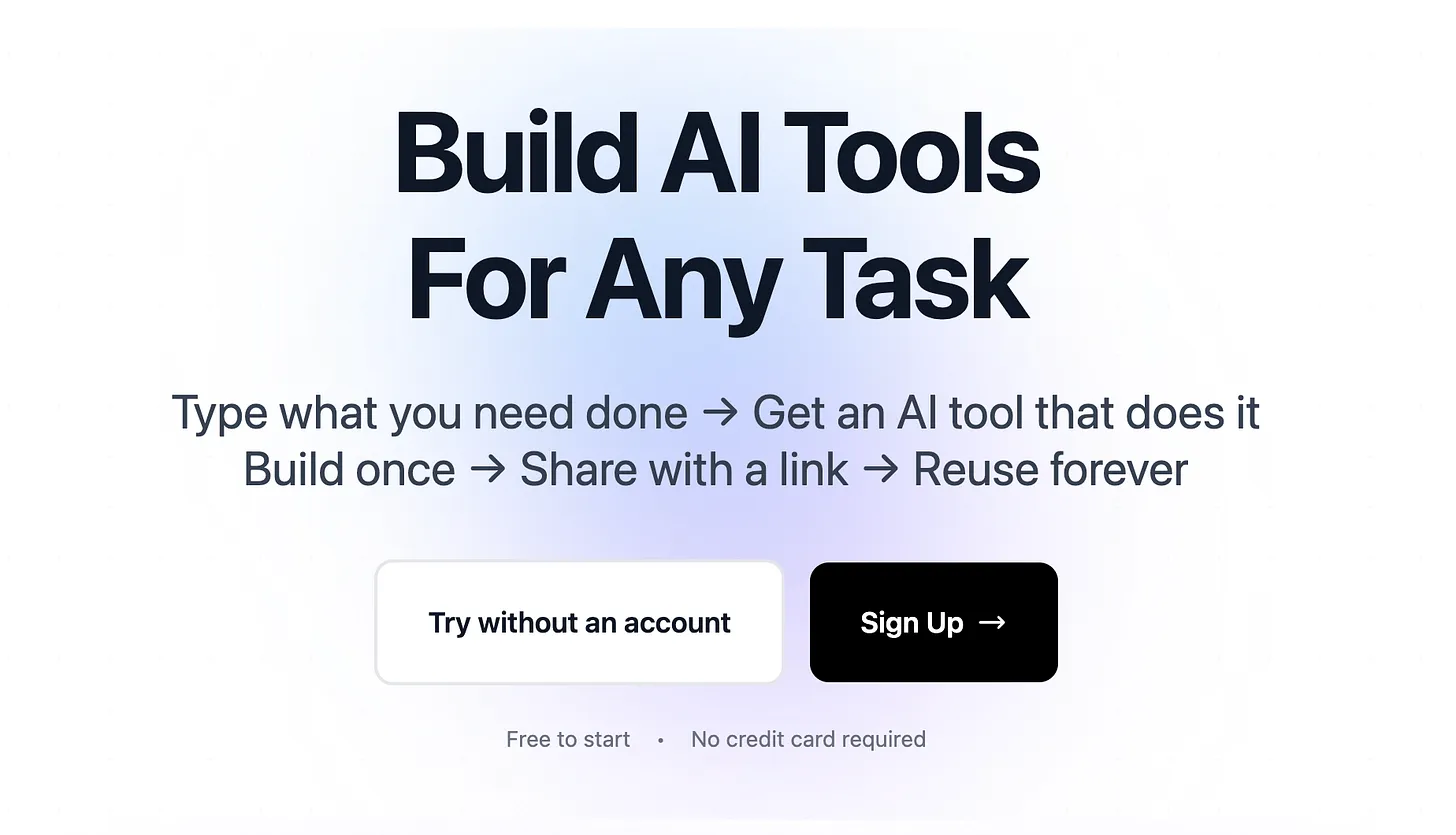
Pro tip: Sign up for a free account to save all the AI tools you create and access them anytime.
Step 2: Define Your Tool's Input Type
Choose how users will interact with your AI tool:
Text Input:
- User types information directly
- Best for: content generation, analysis, rewriting
- Examples: email drafters, social media post creators, text summarizers
File Upload:
- User uploads documents, images, or data files
- Best for: document processing, data extraction, file conversion
- Examples: invoice extractors, resume parsers, image analyzers
Link Input:
- User provides a URL
- Best for: web content processing, article analysis
- Examples: website summarizers, content extractors, research tools
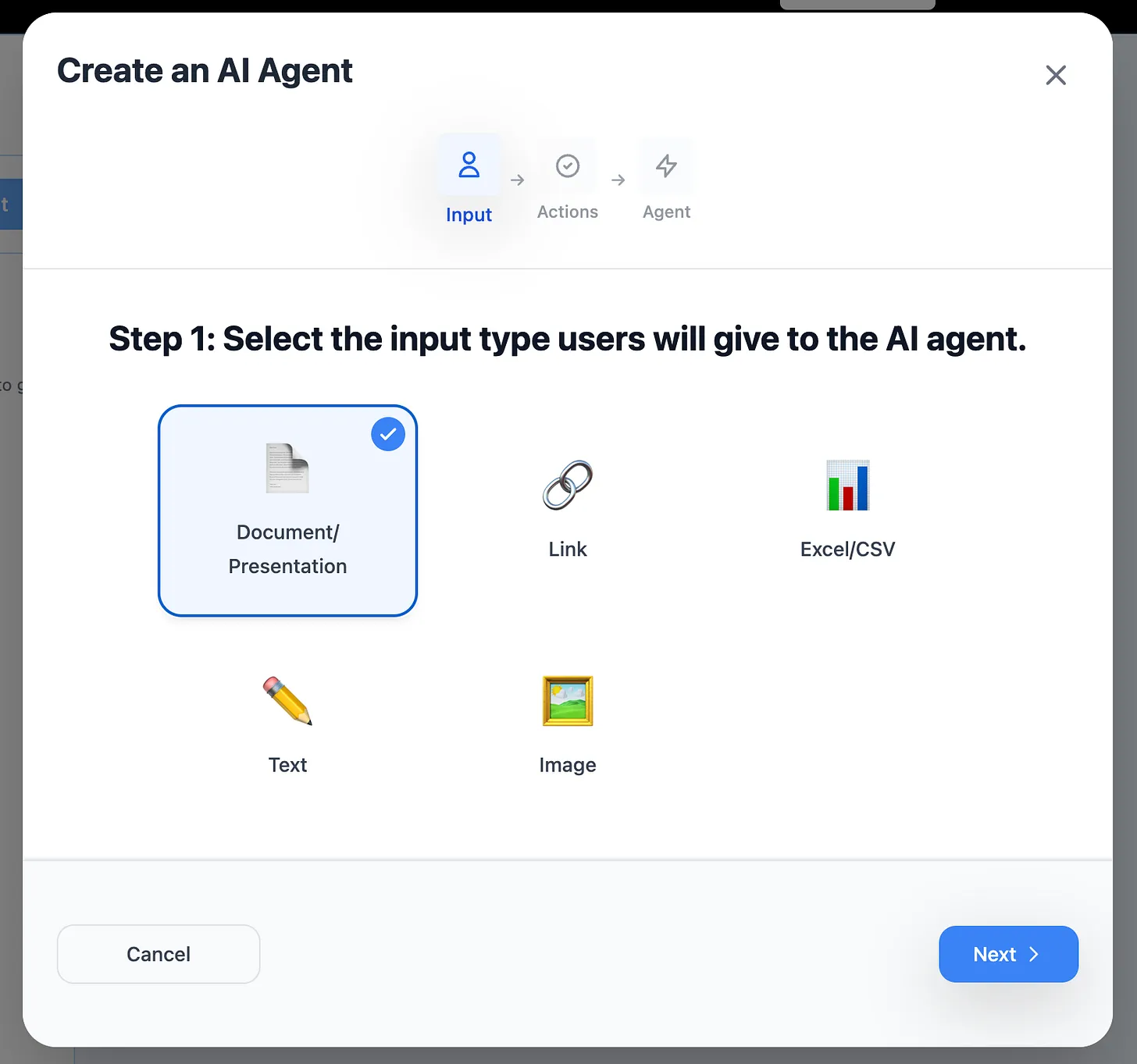
Choose based on your use case:
- Processing existing content → File upload
- Analyzing web content → Link input
- Creating new content → Text input
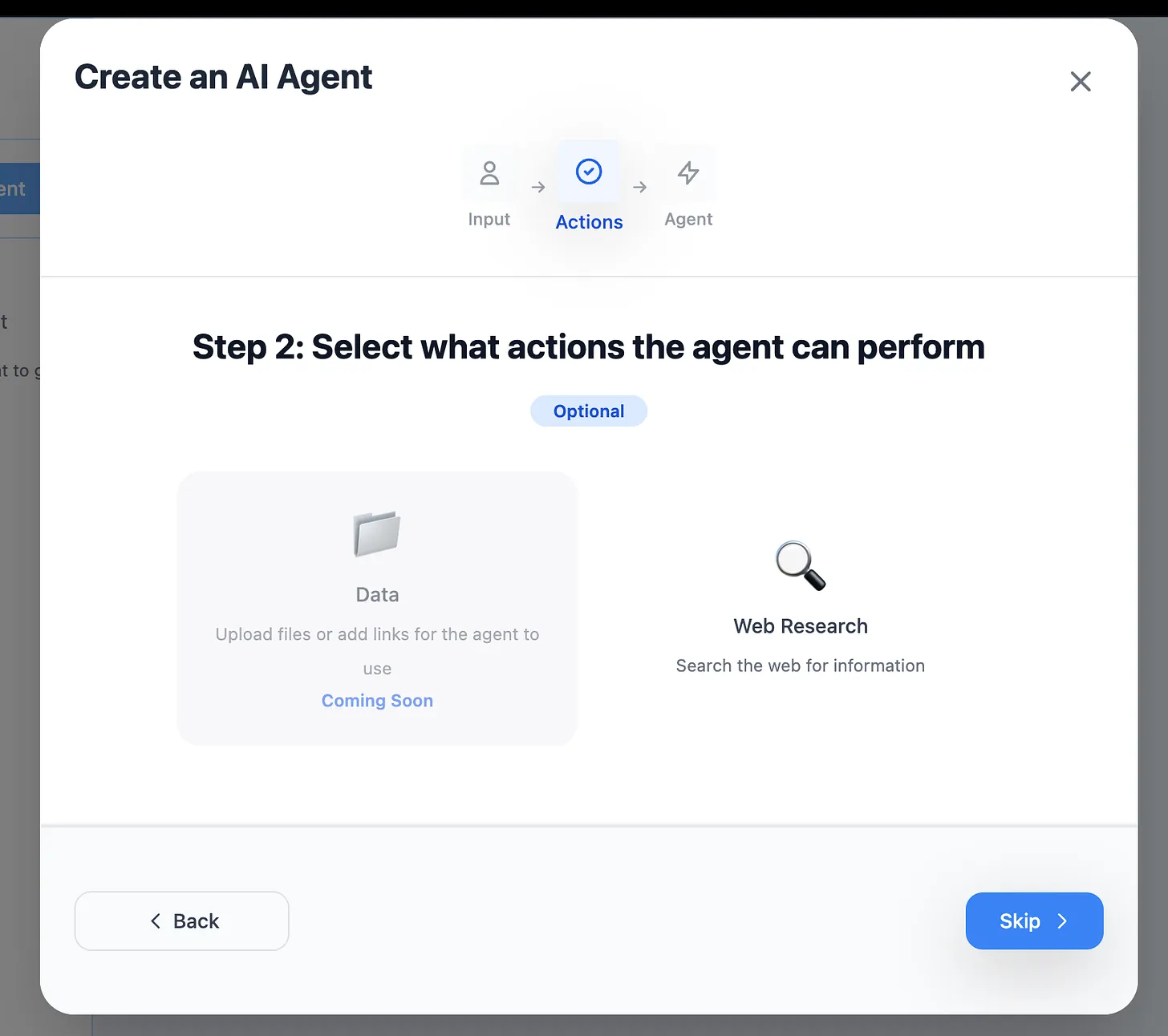
Step 3: Choose Additional Capabilities
Web Research Option: Enable if your tool needs current information from the internet.
When to enable:
- Market research tools
- Competitor analysis
- Current events summaries
- Price comparison tools
- Trend analysis
When to skip:
- Document processing
- Data extraction
- Content formatting
- File conversions
- Template filling
Step 4: Describe What Your Tool Does
This is the most important step. Write a clear description of your tool's purpose and output.
Good descriptions include:
- What data to extract - "Extract customer name, email, and order total"
- Output format - "Create an Excel file with columns for..."
- Specific requirements - "Include only completed orders from last 30 days"
Example descriptions:
Invoice Processing Tool: "Extract payment details from uploaded invoices and create an Excel file with columns for: Invoice Number, Date, Vendor Name, Amount Due, and Due Date"
Email Response Generator: "Read the customer inquiry and generate a professional, empathetic response addressing their concern. Keep responses under 150 words and maintain a friendly tone."
Resume Screener: "Analyze uploaded resume and extract: candidate name, years of experience, key skills, education level, and previous job titles. Score candidate 1-10 for software engineering role."
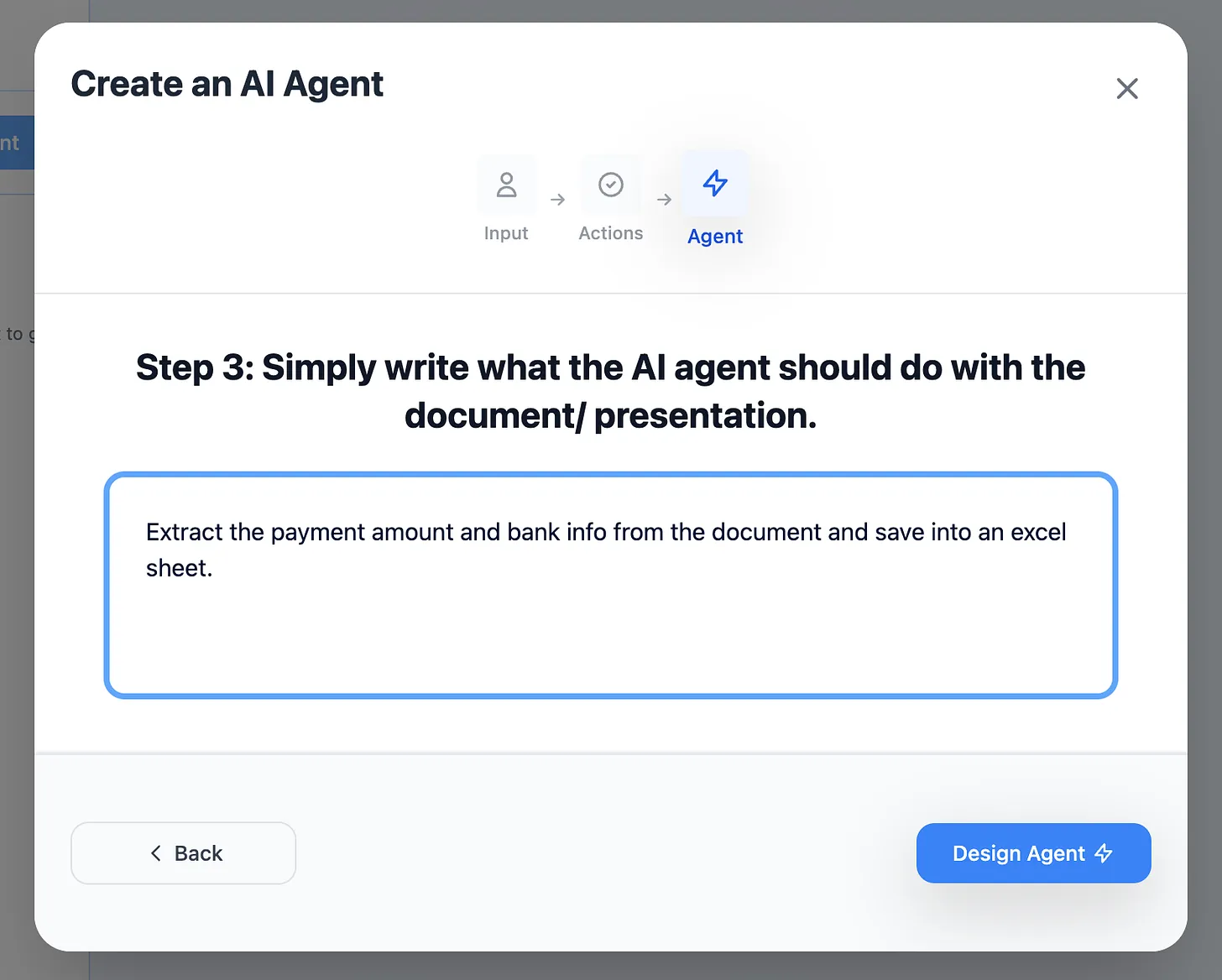
The more specific you are, the better your tool performs.
Step 5: Generate Your AI Tool
Click "Design Agent" and wait 5-10 seconds while your tool is created.
The system will:
- Process your requirements
- Build the tool interface
- Set up AI processing
- Create sharing capabilities
- Generate your custom tool URL
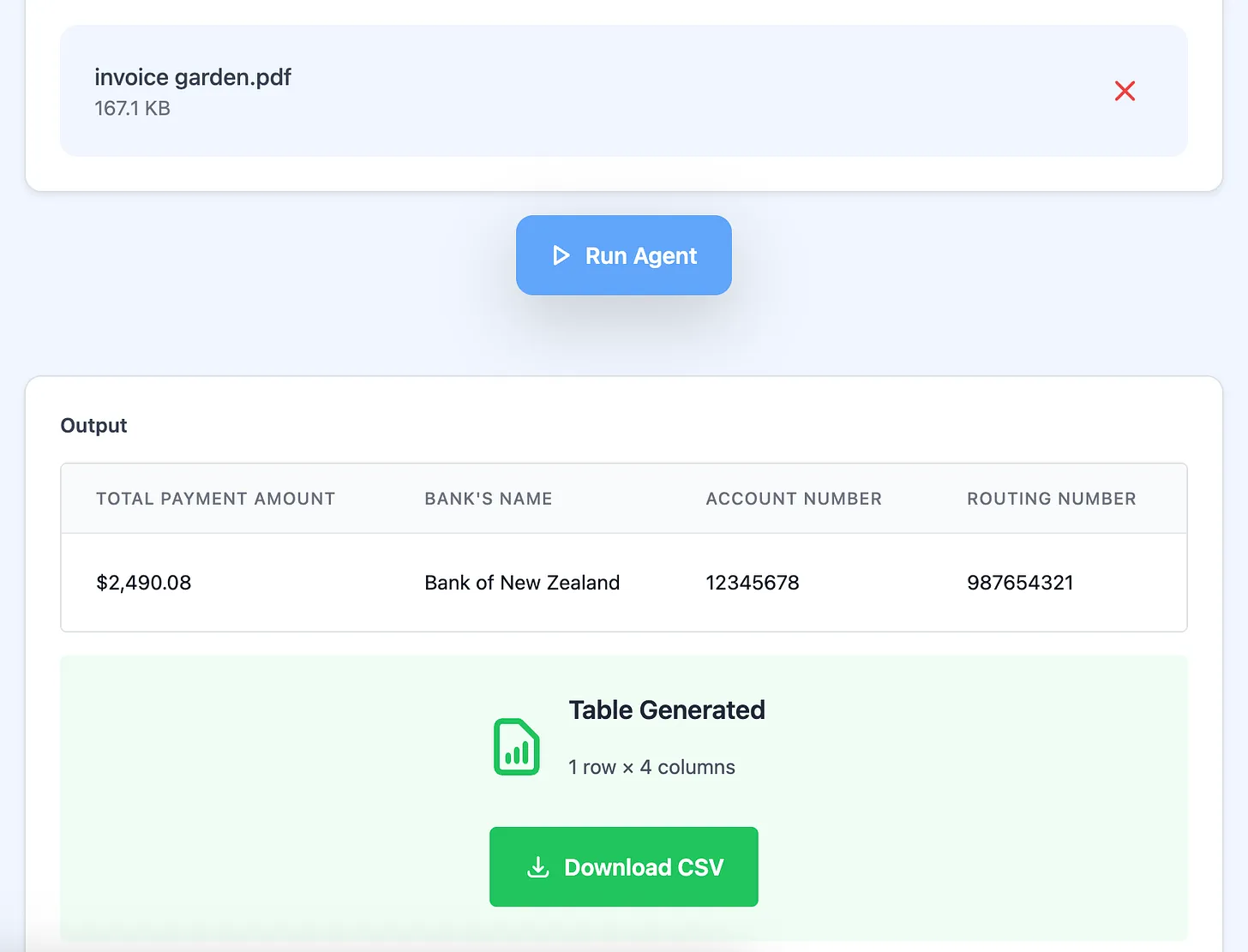
That's it! Your AI tool is ready to use.
How to Use Your AI Tool
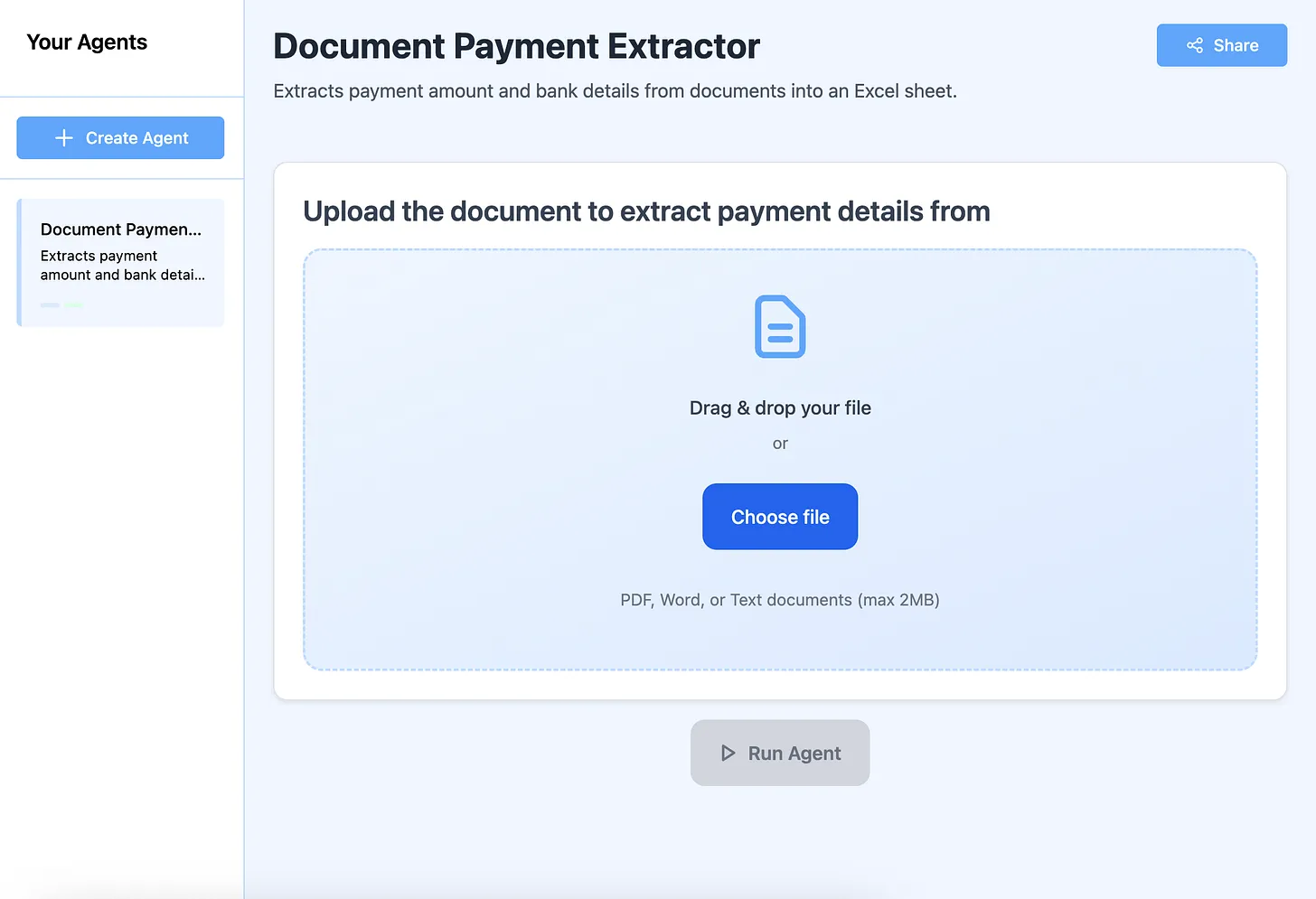
Test Your Tool Immediately
Try it with sample data:
- Upload a test file
- Enter example text
- Provide a sample link
Check for:
- Correct data extraction
- Proper formatting
- Expected output type
- Processing speed
Share With Your Team
Click the "Share" button in the top right corner.
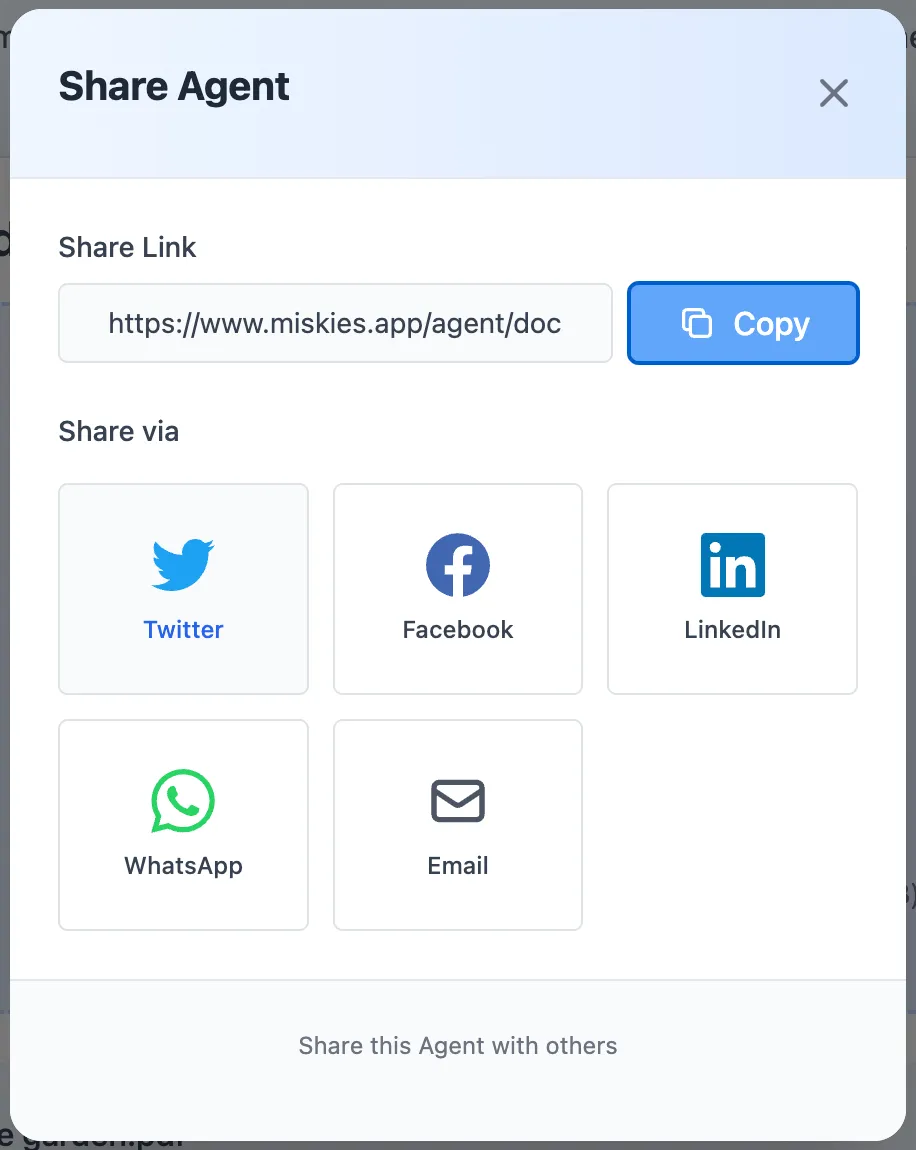
You'll get a unique link like:
https://www.miskies.app/agent/your-tool-name-abc123
Anyone with this link can:
- Use the tool immediately
- No signup required
- No installation needed
- Get instant results
Improve Your Tool
Not satisfied with results? You can refine your tool:
Option 1: Direct Chat Improvement
- Must be logged in
- Describe what needs fixing
- Tool updates automatically
- Test again immediately
Option 2: Rebuild From Scratch
- Click "Create+" again
- Adjust your description
- Add more specific requirements
- Generate new version
Real-World AI Tools You Can Build
Business & Productivity Tools
Invoice Payment Extractor:
- Input: Scanned invoice PDFs
- Output: Excel file with payment details
- Use case: Accounts payable automation
- Time saved: 5 minutes per invoice
Meeting Notes Summarizer:
- Input: Raw meeting transcripts
- Output: Action items and key decisions
- Use case: Project management
- Time saved: 15 minutes per meeting
Email Response Generator:
- Input: Customer inquiry text
- Output: Professional response draft
- Use case: Customer service
- Time saved: 3 minutes per email
Contract Clause Extractor:
- Input: Legal contract PDFs
- Output: Summary of key terms
- Use case: Legal review process
- Time saved: 20 minutes per contract
Marketing & Content Tools
Social Media Post Generator:
- Input: Blog article link
- Output: LinkedIn, Twitter, Facebook posts
- Use case: Content distribution
- Time saved: 10 minutes per article
SEO Meta Tag Creator:
- Input: Article URL
- Output: Title, description, keywords
- Use case: SEO optimization
- Time saved: 5 minutes per page
Competitor Analysis Tool:
- Input: Competitor website URL
- Output: Pricing, features comparison
- Use case: Market research
- Time saved: 30 minutes per competitor
Content Repurposer:
- Input: Long-form article
- Output: Email newsletter version
- Use case: Content marketing
- Time saved: 15 minutes per piece
Data & Analysis Tools
Resume Parser:
- Input: Resume PDF
- Output: Structured candidate data
- Use case: Recruitment screening
- Time saved: 3 minutes per resume
Survey Response Analyzer:
- Input: Survey feedback text
- Output: Sentiment analysis summary
- Use case: Customer research
- Time saved: 1 hour per 100 responses
Financial Report Summarizer:
- Input: Quarterly report PDF
- Output: Key metrics and insights
- Use case: Investment research
- Time saved: 25 minutes per report
Product Review Aggregator:
- Input: Multiple review links
- Output: Pros/cons summary
- Use case: Purchase decisions
- Time saved: 20 minutes per product
Education & Research Tools
Study Guide Generator:
- Input: Textbook chapter PDF
- Output: Summary with key concepts
- Use case: Exam preparation
- Time saved: 30 minutes per chapter
Research Paper Summarizer:
- Input: Academic paper PDF
- Output: Abstract and methodology summary
- Use case: Literature review
- Time saved: 15 minutes per paper
Citation Formatter:
- Input: Article URL
- Output: APA, MLA, Chicago citations
- Use case: Academic writing
- Time saved: 2 minutes per citation
Flashcard Creator:
- Input: Study notes text
- Output: Question-answer flashcards
- Use case: Active recall studying
- Time saved: 20 minutes per topic
Advanced Tips: How to Make Better AI Tools
Be Extremely Specific
Vague description: "Analyze the document and give me insights"
Specific description: "Extract all dates, dollar amounts, and party names from legal contracts. Create an Excel file with columns: Date, Amount, Buyer Name, Seller Name, Contract Type. Highlight amounts over $100,000 in red."
Result: Specific descriptions produce 10x better tools.
Define Clear Output Formats
Instead of: "Give me the data"
Write: "Create an Excel file with these exact columns: Name, Email, Phone, Company, Job Title. Sort by Company name alphabetically."
Result: Consistent, predictable results every time.
Include Edge Cases
Think about unusual inputs:
- What if the file is corrupted?
- What if required data is missing?
- What if format is unexpected?
Add to description: "If invoice date is missing, use 'Date Not Found'. If amount is in multiple currencies, convert all to USD. Skip any invoices marked as 'DRAFT'."
Result: Tool handles real-world scenarios gracefully.
Test With Difficult Examples
Don't just test with perfect data:
- Upload poorly formatted documents
- Try edge cases
- Test maximum file sizes
- Use unexpected inputs
Result: Identify and fix issues before sharing.
Create Tool Variations
Build multiple versions for different scenarios:
- Quick version: Fast, basic extraction
- Detailed version: Comprehensive analysis
- Formatted version: Pretty output for presentations
Result: Right tool for every situation.
Sharing and Collaboration Strategies
Internal Team Tools
For employees:
- Create standardized workflows
- Ensure consistent outputs
- Reduce training time
- Share via team channels
Best practices:
- Document what each tool does
- Create usage guides
- Maintain tool directory
- Update tools based on feedback
Client-Facing Tools
For customers:
- Simplify data submission
- Professional appearance
- Clear instructions
- Fast processing
Considerations:
- Brand consistency
- Data privacy
- Result accuracy
- Support availability
Public Tool Sharing
For community:
- Solve common problems
- Demonstrate capabilities
- Get feedback
- Build reputation
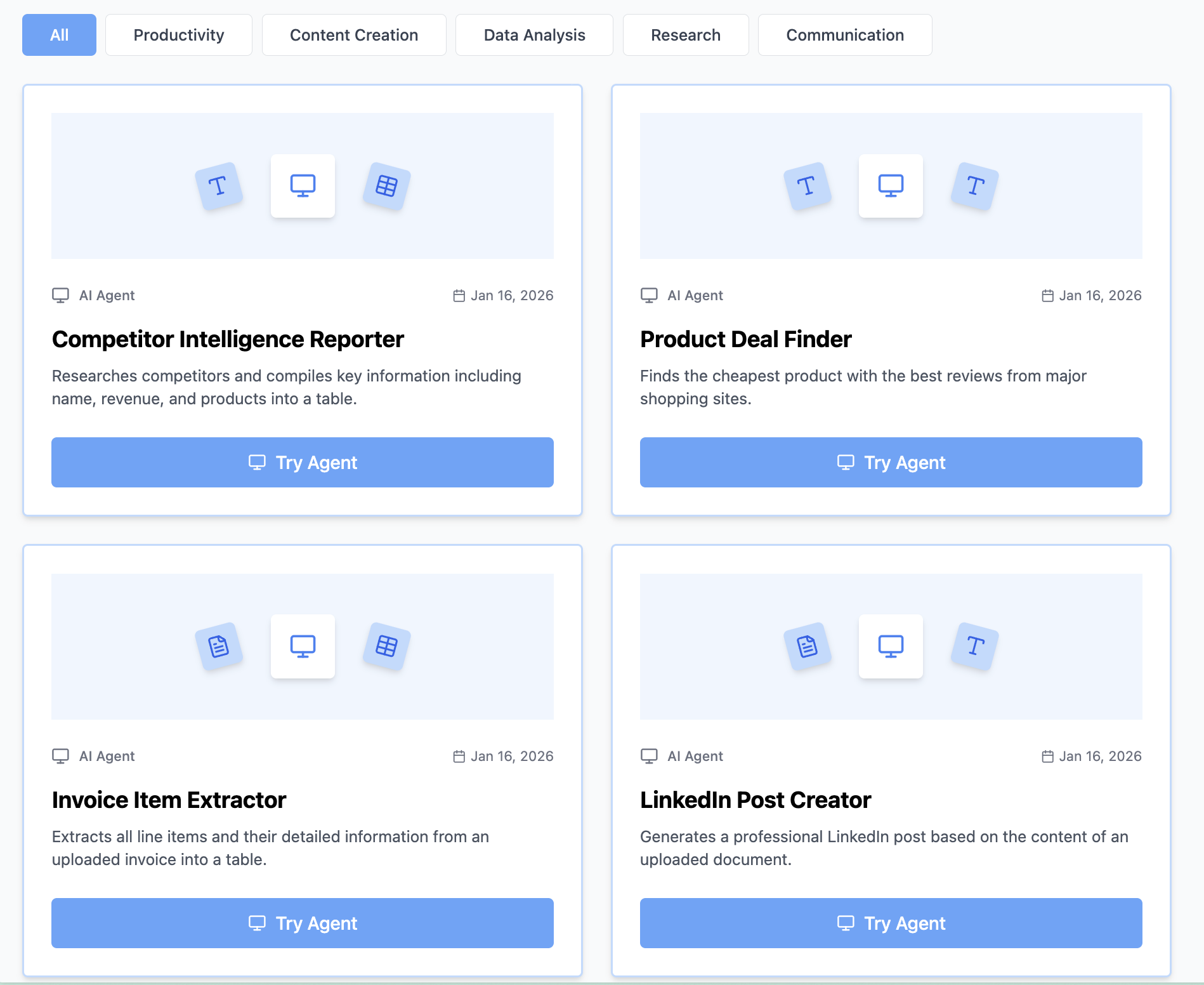
Explore other tools: Visit https://www.miskies.app/agents/explore to see what others have built.
How to Develop AI Tools That Scale
Start Small, Iterate Fast
Week 1:
- Build 3 simple tools
- Test with real data
- Get user feedback
- Refine descriptions
Week 2:
- Add complexity
- Handle more formats
- Improve accuracy
- Share with team
Month 1:
- Build tool library
- Document best practices
- Train team members
- Measure time savings
Track Your Impact
Metrics to monitor:
- Time saved per use
- Number of uses per week
- Error rate reduction
- Team adoption rate
Example calculation:
- Invoice tool saves 5 min per use
- Used 50 times per week
- = 250 minutes (4+ hours) saved weekly
- = 200+ hours saved annually
Build a Tool Library
Organize by function:
- Document processing
- Data extraction
- Content generation
- Analysis and reporting
Maintain quality:
- Regular testing
- User feedback integration
- Performance monitoring
- Version control
Common Mistakes When Building AI Tools
Mistake #1: Vague Descriptions
Problem: "Process this document"
Solution: "Extract customer names, order IDs, and payment amounts from sales receipts. Create Excel with columns: Customer, Order#, Amount, Date."
Mistake #2: Too Many Functions
Problem: One tool trying to do everything
Solution: Create separate tools for distinct tasks. Each tool masters one job.
Mistake #3: Ignoring Output Format
Problem: Not specifying how results should look
Solution: Always define exact format - "Excel with columns X, Y, Z" or "Summary in 3 bullet points"
Mistake #4: No Testing
Problem: Sharing without trying edge cases
Solution: Test with imperfect data, unusual formats, maximum sizes before sharing
Mistake #5: Forgetting Users
Problem: Building for yourself only
Solution: Add clear instructions, handle common errors, provide examples
The Future of AI Tool Building
AI tool creation is becoming easier and more powerful:
Emerging capabilities:
- Multi-document processing
- Custom data integration
- Advanced output formats
- Automated workflows
- API connections
What this means for you:
- More automation possibilities
- Greater efficiency gains
- Reduced technical barriers
- Expanded use cases
Stay ahead by:
- Building tools regularly
- Experimenting with new features
- Sharing knowledge
- Getting early access to updates
Get Started Building AI Tools Today
Stop spending hours on repetitive tasks. Build custom AI tools that solve your specific problems in under 60 seconds.
Your first tool checklist:
- ✅ Identify a repetitive task
- ✅ Visit Miskies AI Agents
- ✅ Click "Create+"
- ✅ Define input type
- ✅ Describe desired output
- ✅ Click "Design Agent"
- ✅ Test with real data
- ✅ Share with team
Free Forever • No Coding Required • Share Instantly • Browser-Based
Need help building your first tool? The development team responds within 24 hours to help optimize your AI tools.
Start automating your work today and join thousands building custom AI tools to work smarter, not harder.
Keywords: how to build ai tools, how to create ai tools, how to develop ai tools, how to make ai tools, build ai tools without coding, create custom ai tools, ai tool builder, no code ai tools, build ai automation, create ai agents