How to Create AI Agents That Actually Work (Complete 2026 Guide)
AI agents are transforming how we work. Unlike simple chatbots, AI agents can take action, process files, access the web, and complete complex tasks autonomously. Learning how to create AI agents gives you superpowers to automate almost anything.
The best part? You don't need to be a developer. In 2026, anyone can create powerful AI agents in under a minute with no coding required.
What Are AI Agents and Why Create Them?
AI agents are intelligent tools that:
- Take autonomous action - Don't just answer questions, they complete tasks
- Handle specific workflows - Designed for particular jobs
- Process multiple input types - Text, files, links, images
- Deliver concrete results - Excel files, documents, summaries, analysis
- Work independently - Minimal human oversight needed
- Scale infinitely - Handle 1 task or 1,000 with same effort
Traditional AI vs AI Agents:
ChatGPT (Generic AI):
- Answers any question
- Requires detailed prompting every time
- No memory of your workflow
- Manual copy-paste for results
- Starts fresh each conversation
AI Agent (Specialized):
- Solves one specific problem
- Pre-programmed with your requirements
- Consistent output format
- Direct file downloads
- Reusable forever with one click
Why You Need to Know How to Make AI Agents
For business professionals:
- Automate data entry and extraction
- Process documents in bulk
- Generate reports automatically
- Screen candidates and applications
- Analyze competitor intelligence
For teams:
- Standardize workflows across departments
- Reduce training time for new hires
- Eliminate repetitive manual work
- Ensure consistent quality
- Scale operations without hiring
For individuals:
- Save hours every week
- Focus on creative work
- Reduce human error
- Work smarter, not harder
- Increase personal productivity
How to Create AI Agents: Step-by-Step
Step 1: Define Your Agent's Purpose
Before creating an AI agent, answer these questions:
What problem does it solve?
- What task takes too much manual time?
- What process has high error rates?
- What work is repetitive and boring?
Who will use it?
- Just you, or your whole team?
- Technical users or non-technical?
- Internal staff or external clients?
What's the input?
- Text descriptions
- File uploads (PDF, Excel, Word, images)
- Website URLs
- Data feeds
What's the output?
- Excel spreadsheets
- Word documents
- Text summaries
- Structured data
- Visualizations
Clear answers = better agent.
Step 2: Access the AI Agent Builder
Navigate to https://www.miskies.app/agents
This is your AI agent creation platform where you can build, test, and deploy agents.
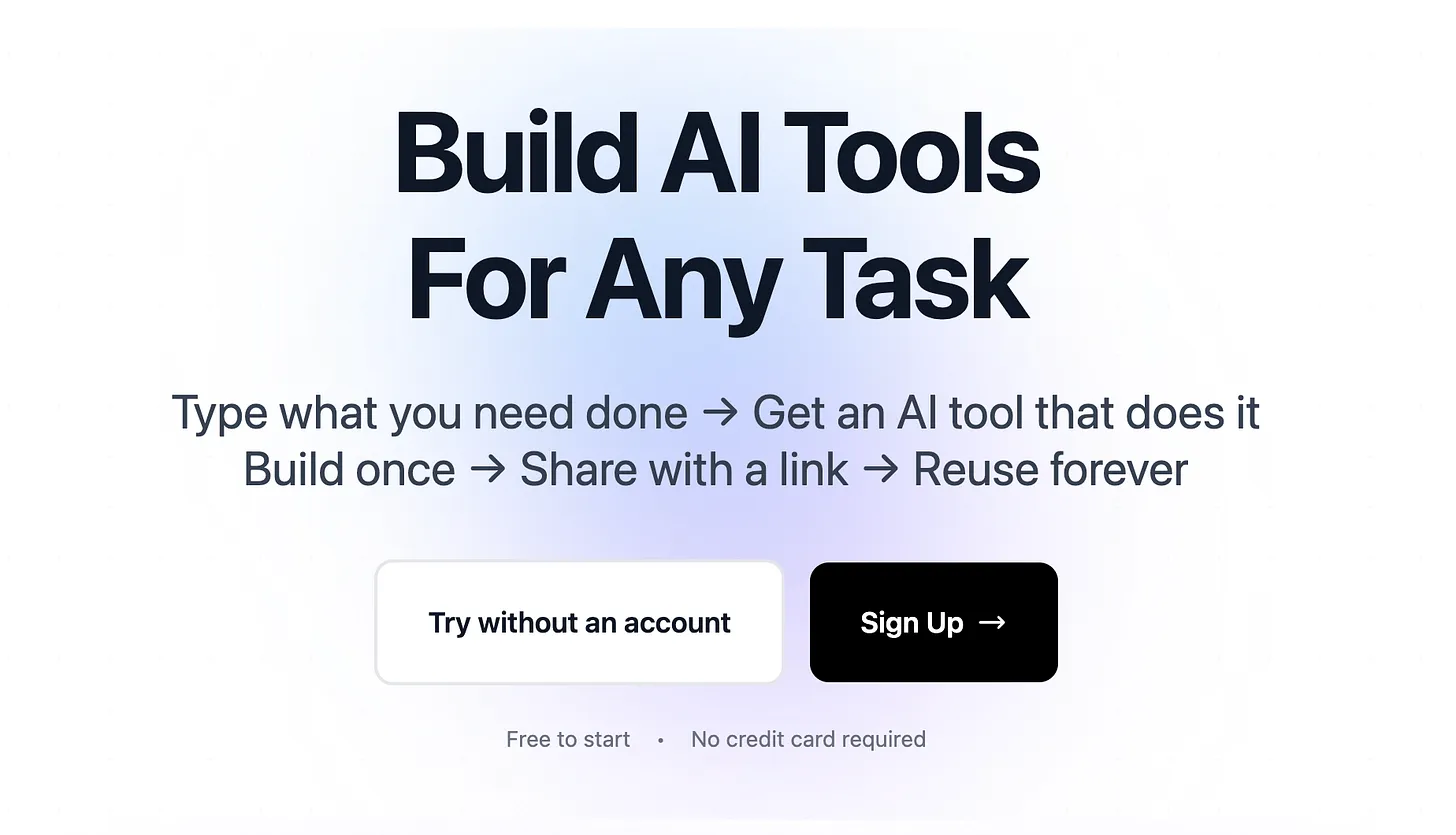
Create a free account to:
- Save all agents you build
- Access them from any device
- Share with team members
- Track usage and performance
- Get support when needed
Click "Create+" to start building your first AI agent.
Step 3: Select Input Method
Choose how users will provide information to your agent:
Text Input Agents: Best for content creation and generation tasks.
Examples:
- Email response writer
- Social media post creator
- Product description generator
- Meeting summary creator
- Blog article outliner
File Upload Agents: Best for document processing and data extraction.
Examples:
- Invoice data extractor
- Resume parser and screener
- Contract clause analyzer
- Financial report summarizer
- Image content analyzer
Link Input Agents: Best for web content analysis and research.
Examples:
- Competitor website analyzer
- Article summarizer
- Product review aggregator
- SEO audit tool
- News monitor
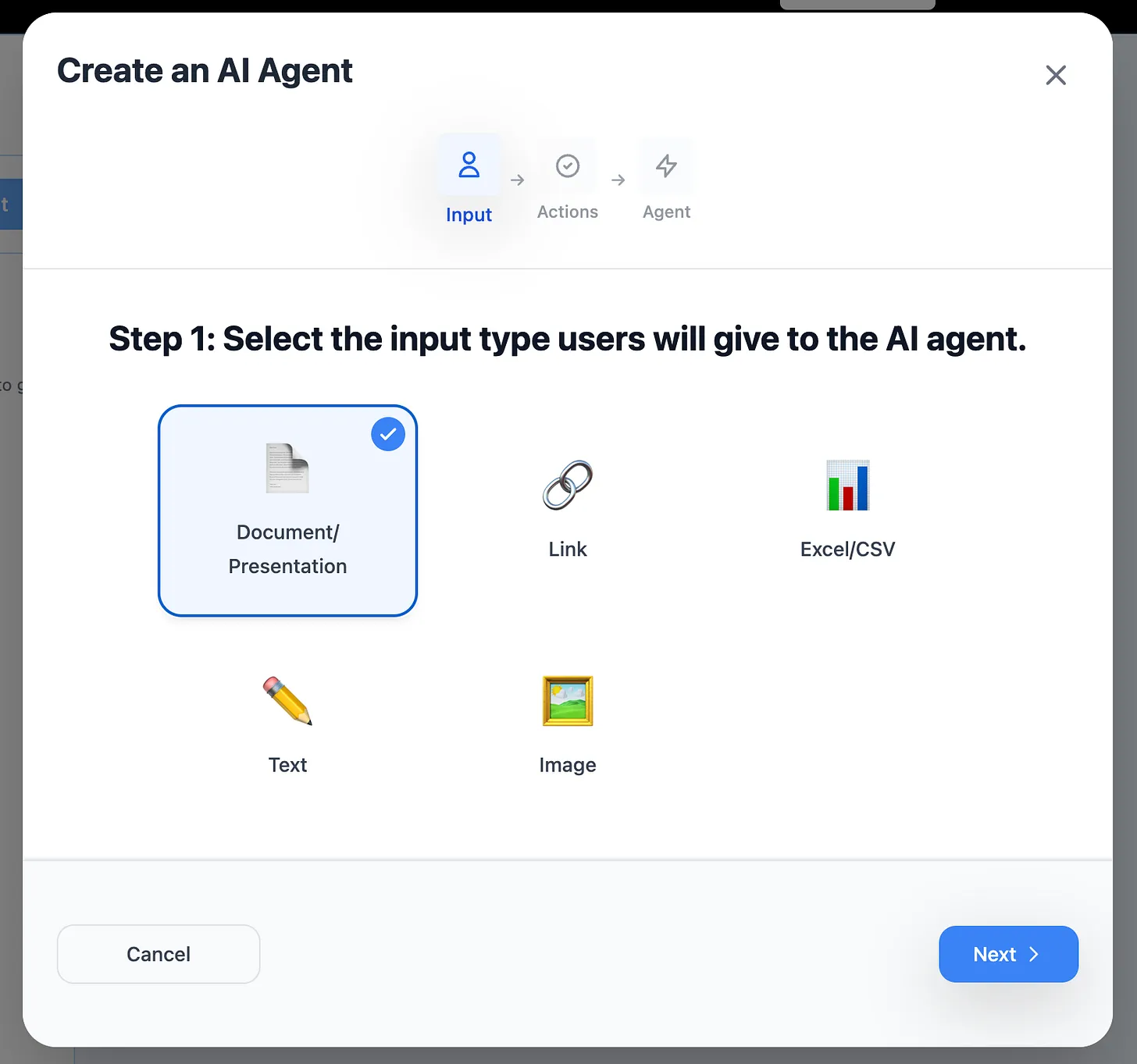
Pro tip: Most business use cases involve file uploads or links, not just text.
Step 4: Configure Agent Capabilities
Enable Web Research When:
- Agent needs current information
- Requires competitor data
- Must check latest prices
- Needs to verify facts
- Should find recent trends
Skip Web Research When:
- Processing internal documents
- Extracting data from files
- Converting formats
- Following templates
- Working with proprietary data
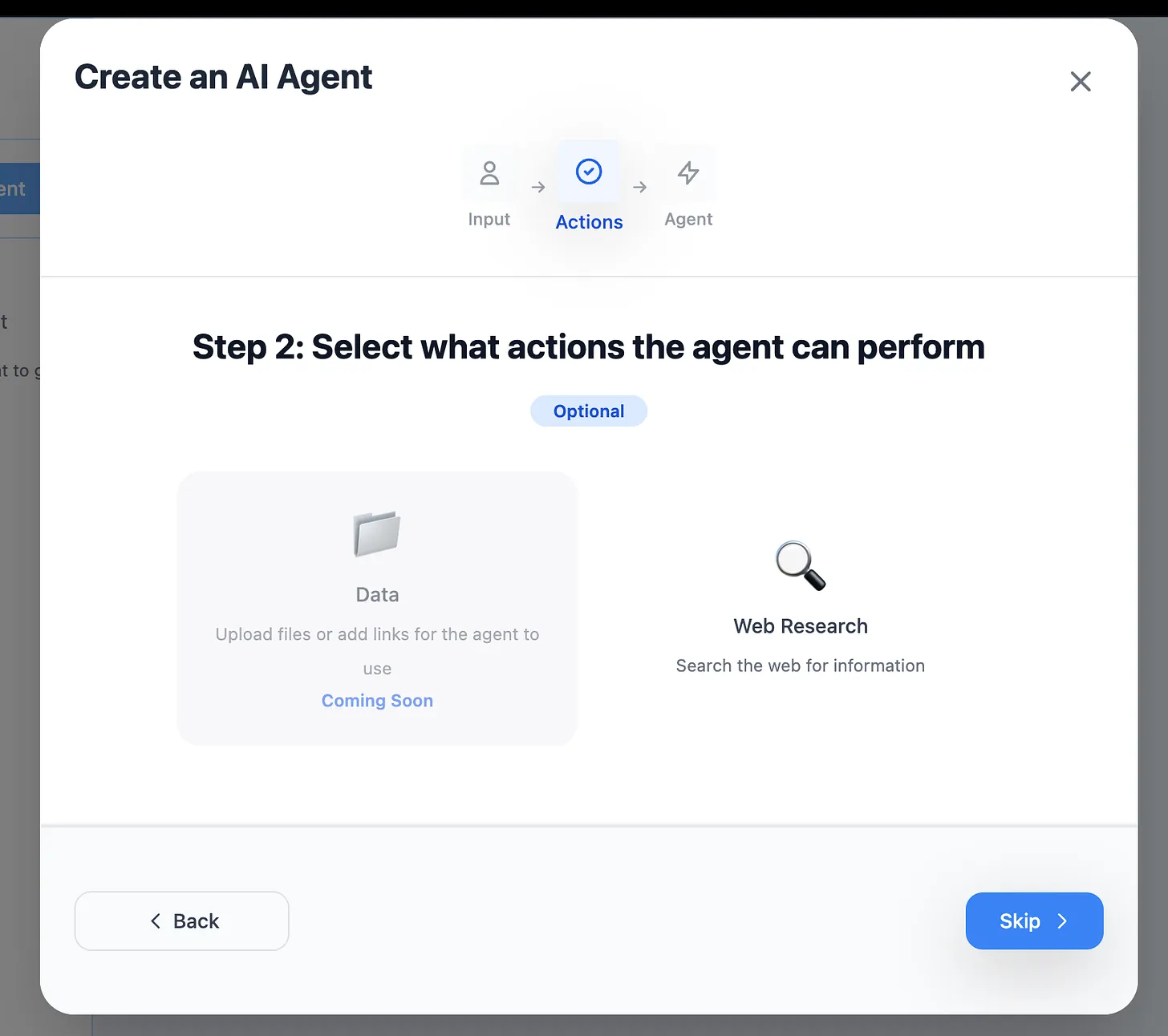
Security note: Web research agents can access public internet data. Disable for sensitive internal workflows.
Step 5: Write Your Agent Instructions
This is where you program your AI agent's behavior. Be extremely specific.
Template for good instructions:
Task: [What the agent should do]
Input: [What data it receives]
Process: [How to handle the data]
Output: [Exact format of results]
Special rules: [Edge cases and exceptions]
Example: Invoice Processing Agent
Task: Extract payment information from uploaded invoices
Input: PDF invoices from various vendors
Process:
- Identify invoice number, date, vendor name
- Extract line items with descriptions and amounts
- Calculate totals and tax amounts
- Verify due dates
Output: Excel file with columns:
- Invoice_Number
- Invoice_Date
- Vendor_Name
- Line_Items (separated by semicolons)
- Subtotal
- Tax_Amount
- Total_Amount
- Due_Date
Special rules:
- If date is missing, mark as "DATE_NOT_FOUND"
- Convert all currencies to USD
- Flag invoices over $10,000 as "HIGH_VALUE"
- Skip draft invoices
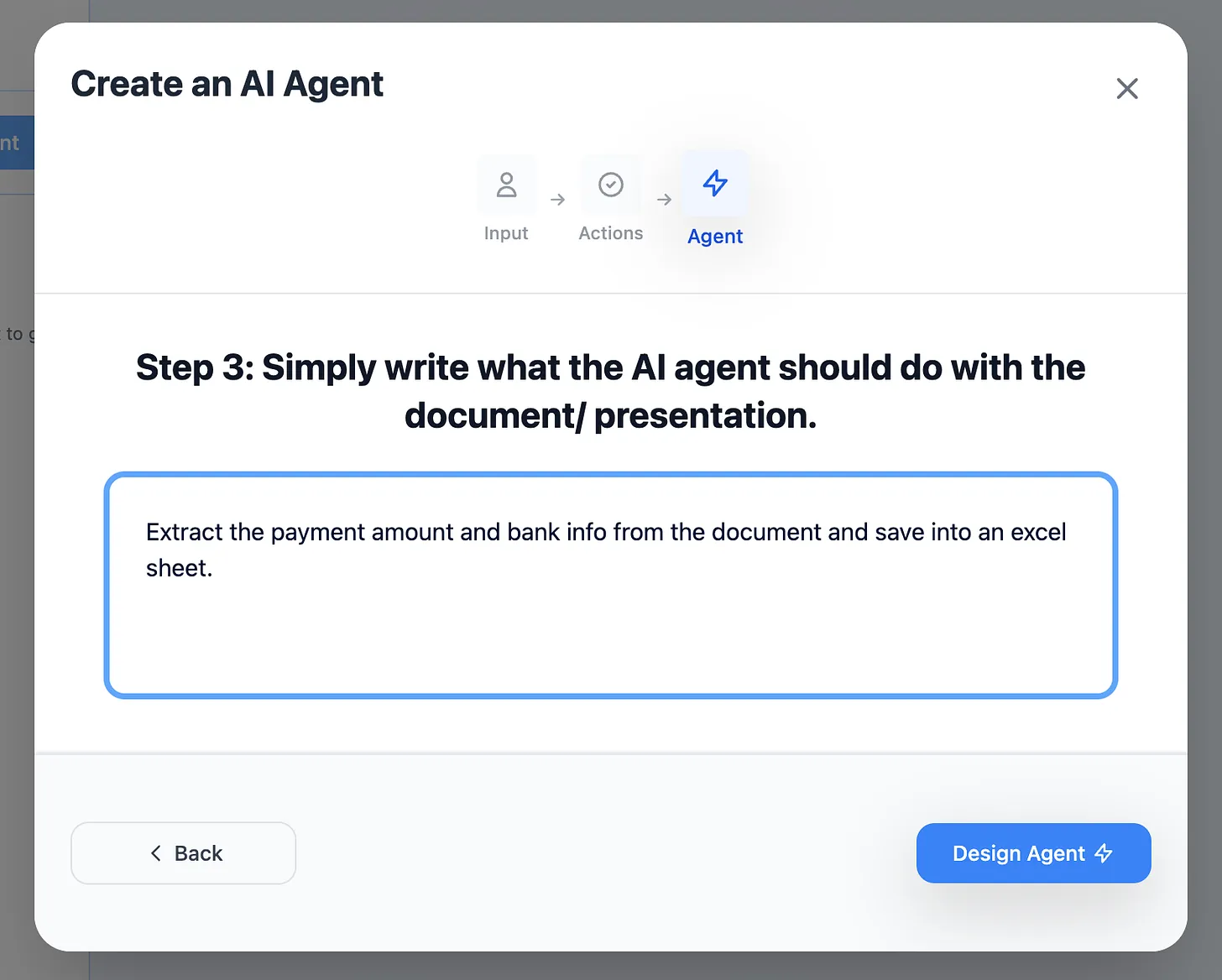
The more specific you are, the more reliable your agent becomes.
Step 6: Generate and Test Your Agent
Click "Design Agent" and your AI agent is created in 5-10 seconds.
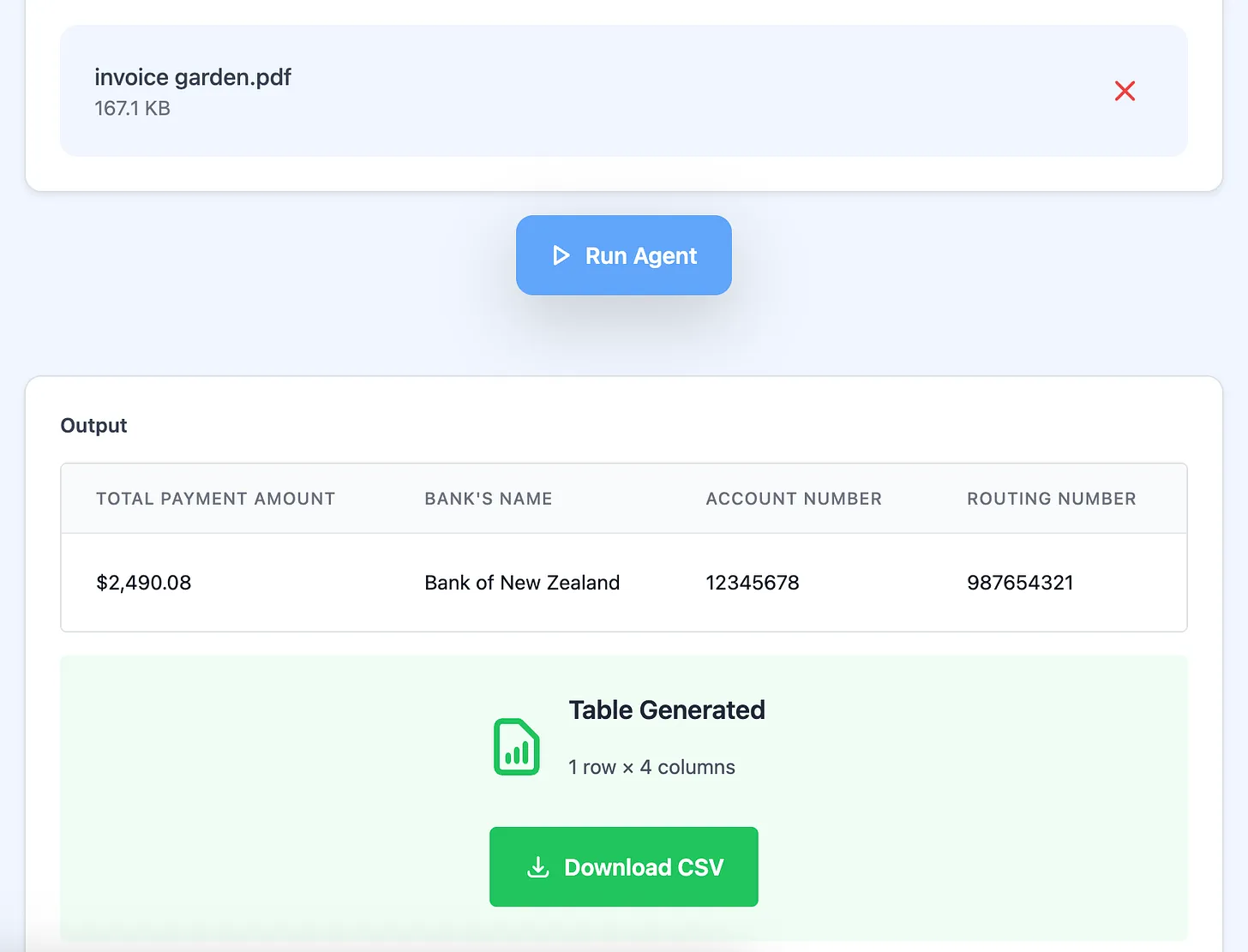
Immediate testing is critical:
- Upload a test file (or enter test data)
- Run the agent
- Check the output:
- Is the format correct?
- Is data extracted accurately?
- Are edge cases handled?
- Is the output usable immediately?
If results aren't perfect:
- Refine your instructions
- Add more specific requirements
- Define edge cases better
- Test again
Step 7: Share Your AI Agent
Once your agent works perfectly, share it with others.
Click the "Share" button to get your unique agent URL.
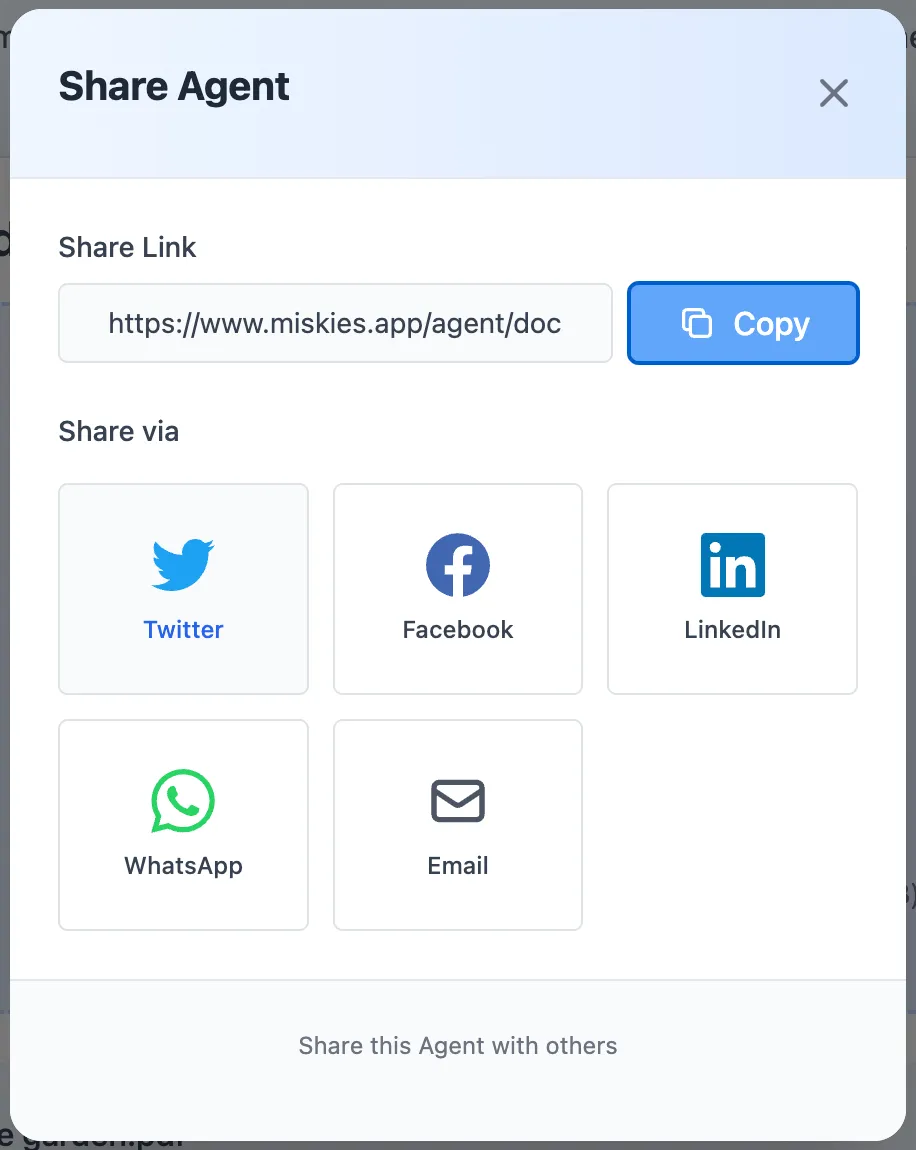
Share link example:
https://www.miskies.app/agent/invoice-extractor-xyz789
Anyone with this link can:
- Use the agent immediately
- No signup required
- No installation needed
- Get instant results
- Access from any device
Real-World AI Agents You Can Create Today
Document Processing Agents
Resume Screening Agent:
- Input: Resume PDFs
- Process: Extract name, experience, skills, education
- Output: Scored candidate profiles in Excel
- Use case: HR recruitment automation
- Impact: Screen 100 resumes in 10 minutes vs 5 hours manually
Contract Review Agent:
- Input: Legal contract PDFs
- Process: Identify key terms, dates, obligations, risks
- Output: Summary document with flagged concerns
- Use case: Legal due diligence
- Impact: Review contracts 80% faster
Invoice Processing Agent:
- Input: Vendor invoices (any format)
- Process: Extract payment details, verify accuracy
- Output: Accounting-ready Excel file
- Use case: Accounts payable automation
- Impact: Process 50 invoices in 5 minutes
Content Creation Agents
Email Response Agent:
- Input: Customer inquiry text
- Process: Understand issue, generate appropriate response
- Output: Professional reply draft
- Use case: Customer service support
- Impact: Respond to 3x more customers
Social Media Agent:
- Input: Blog post URL
- Process: Create platform-specific posts
- Output: LinkedIn, Twitter, Facebook content
- Use case: Content distribution
- Impact: Publish across channels in 1 minute
Product Description Agent:
- Input: Product specifications
- Process: Create compelling, SEO-optimized copy
- Output: Ready-to-publish descriptions
- Use case: E-commerce content creation
- Impact: Write 20 descriptions per hour
Research and Analysis Agents
Competitor Intelligence Agent:
- Input: Competitor website URLs
- Process: Extract pricing, features, positioning
- Output: Comparison spreadsheet
- Use case: Market research
- Impact: Complete competitive analysis in 15 minutes
News Monitoring Agent:
- Input: Company name or topic
- Process: Search recent news, summarize key points
- Output: Daily digest document
- Use case: Brand monitoring
- Impact: Stay updated without manual searching
Academic Research Agent:
- Input: Research paper PDFs
- Process: Extract methodology, findings, citations
- Output: Literature review summary
- Use case: Academic writing
- Impact: Process 10 papers per hour
Data Extraction Agents
Receipt Data Agent:
- Input: Receipt photos or PDFs
- Process: OCR and extract merchant, amount, date, items
- Output: Expense tracking Excel file
- Use case: Expense management
- Impact: Automate expense reporting completely
Survey Analysis Agent:
- Input: Survey responses (text)
- Process: Sentiment analysis, theme identification
- Output: Insights report with quotes
- Use case: Customer feedback analysis
- Impact: Analyze 500 responses in 10 minutes
Web Scraping Agent:
- Input: Website URLs
- Process: Extract specific data points
- Output: Structured database
- Use case: Lead generation, price monitoring
- Impact: Collect 1,000 data points automatically
Advanced AI Agent Creation Strategies
Strategy 1: Build Agent Workflows
Create sequences of specialized agents:
Content Marketing Workflow:
- Research Agent: Finds trending topics
- Writing Agent: Creates article draft
- SEO Agent: Optimizes for search
- Social Agent: Generates promotion posts
Each agent masters one step = better results than one agent doing everything
Strategy 2: Create Agent Variations
Build multiple versions for different scenarios:
Invoice Processing:
- Basic Agent: Quick extraction, standard format
- Detailed Agent: Full line-item analysis
- International Agent: Multi-currency support
- Audit Agent: Compliance checking
Use the right agent for each situation
Strategy 3: Iterate Based on Real Use
Week 1: Build and deploy basic version Week 2: Collect user feedback Week 3: Add edge case handling Week 4: Optimize for speed and accuracy
Real-world use reveals improvements you couldn't anticipate
Strategy 4: Build a Custom Agent Library
Organize agents by department or function:
Sales Team:
- Lead qualifier
- Proposal generator
- Follow-up email writer
- CRM data updater
Marketing Team:
- Content repurposer
- SEO analyzer
- Ad copy generator
- Campaign reporter
Operations Team:
- Document processor
- Data validator
- Report generator
- Workflow automator
Each team gets specialized tools = maximum efficiency
How to Develop AI Agents That Scale
Design for Non-Technical Users
Assume zero technical knowledge:
- Simple, clear interfaces
- Obvious input methods
- Instant results
- Error messages in plain English
- Example inputs provided
Result: Anyone can use without training
Handle Edge Cases Gracefully
Plan for problems:
- Missing data fields
- Unexpected formats
- Corrupted files
- Oversized inputs
- Network errors
Add instructions like: "If vendor name is missing, use 'VENDOR_UNKNOWN'. If amount cannot be determined, flag as 'MANUAL_REVIEW_NEEDED'."
Result: Agent stays reliable in real-world conditions
Optimize for Speed
Users expect fast results:
- Process most tasks in under 30 seconds
- Show progress indicators
- Split large jobs into batches
- Return partial results if needed
Result: High user satisfaction and adoption
Build in Quality Checks
Validate outputs automatically:
- Check for required fields
- Verify calculations
- Flag anomalies
- Provide confidence scores
Example: "Invoice total $15,234.50 (Confidence: 98%)"
Result: Users trust the agent's work
Document Everything
Create user guides:
- What the agent does
- When to use it
- How to prepare inputs
- What outputs to expect
- Common issues and fixes
Result: Self-service support, less confusion
Measuring AI Agent Success
Key Metrics to Track
Efficiency Metrics:
- Time saved per use
- Number of uses per week
- Tasks automated completely
- Manual work eliminated
Quality Metrics:
- Output accuracy rate
- User error rate
- Rework percentage
- User satisfaction score
Adoption Metrics:
- Number of users
- Frequency of use
- Expansion to new teams
- Feature requests
Calculate ROI
Example calculation for Invoice Agent:
Before automation:
- Process 100 invoices/month
- 5 minutes per invoice manually
- = 500 minutes (8.3 hours) of work
- At $30/hour = $250/month in labor
After automation:
- 100 invoices in 10 minutes
- = 490 minutes saved
- = $245/month saved
- = $2,940/year saved from one agent
Build 10 agents = $29,400/year in efficiency gains
Common Mistakes When Creating AI Agents
Mistake #1: Trying to Do Too Much
Problem: One agent that handles 10 different tasks
Solution: Build separate agents for distinct workflows. Specialization = reliability.
Mistake #2: Vague Instructions
Problem: "Process the document and give me the important information"
Solution: "Extract vendor name, invoice number, total amount, and due date. Output as Excel with columns: Vendor, Invoice#, Amount, DueDate."
Mistake #3: Ignoring Error States
Problem: Agent crashes with unexpected inputs
Solution: Define behavior for missing data, wrong formats, edge cases
Mistake #4: No User Testing
Problem: Building in isolation without real user feedback
Solution: Deploy to small group first, iterate based on actual usage
Mistake #5: Poor Naming and Organization
Problem: Agents named "Agent 1", "Test", "New"
Solution: Descriptive names like "Invoice_Payment_Extractor_v2" make agents findable and understandable
The Future of AI Agent Development
AI agents are becoming more powerful every month:
Coming capabilities:
- Multi-step autonomous workflows
- Integration with business systems
- Custom data source connections
- Advanced logic and decision-making
- Team collaboration features
What this means:
- More automation possibilities
- Higher complexity handling
- Greater time savings
- Reduced technical barriers
Stay ahead:
- Build agents regularly
- Experiment with new features
- Join early access programs
- Share knowledge with community
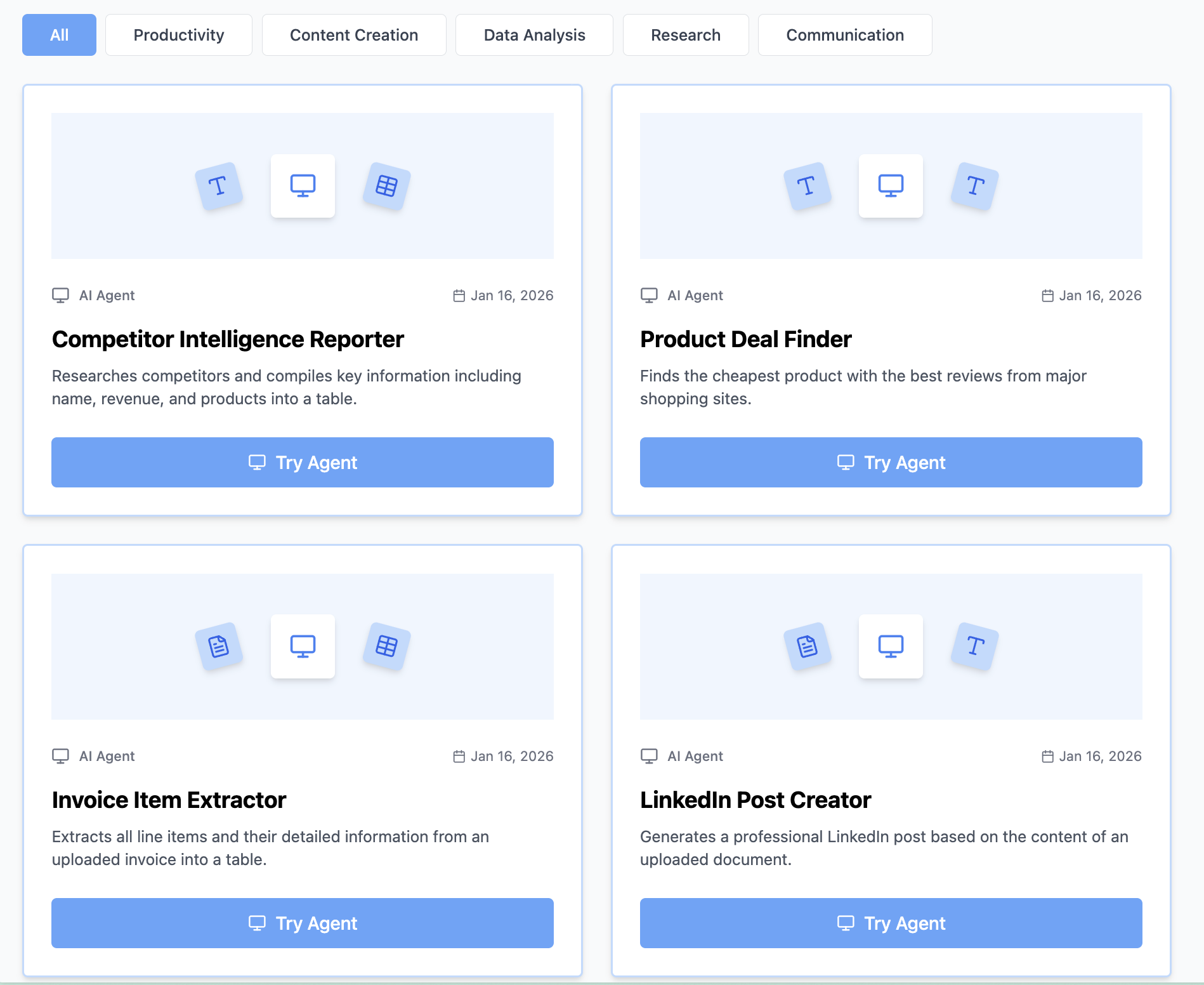
Explore What Others Are Building
Visit the Agent Explore Page to:
- See real-world agent examples
- Get inspiration for your use cases
- Try community-built agents
- Learn from successful patterns
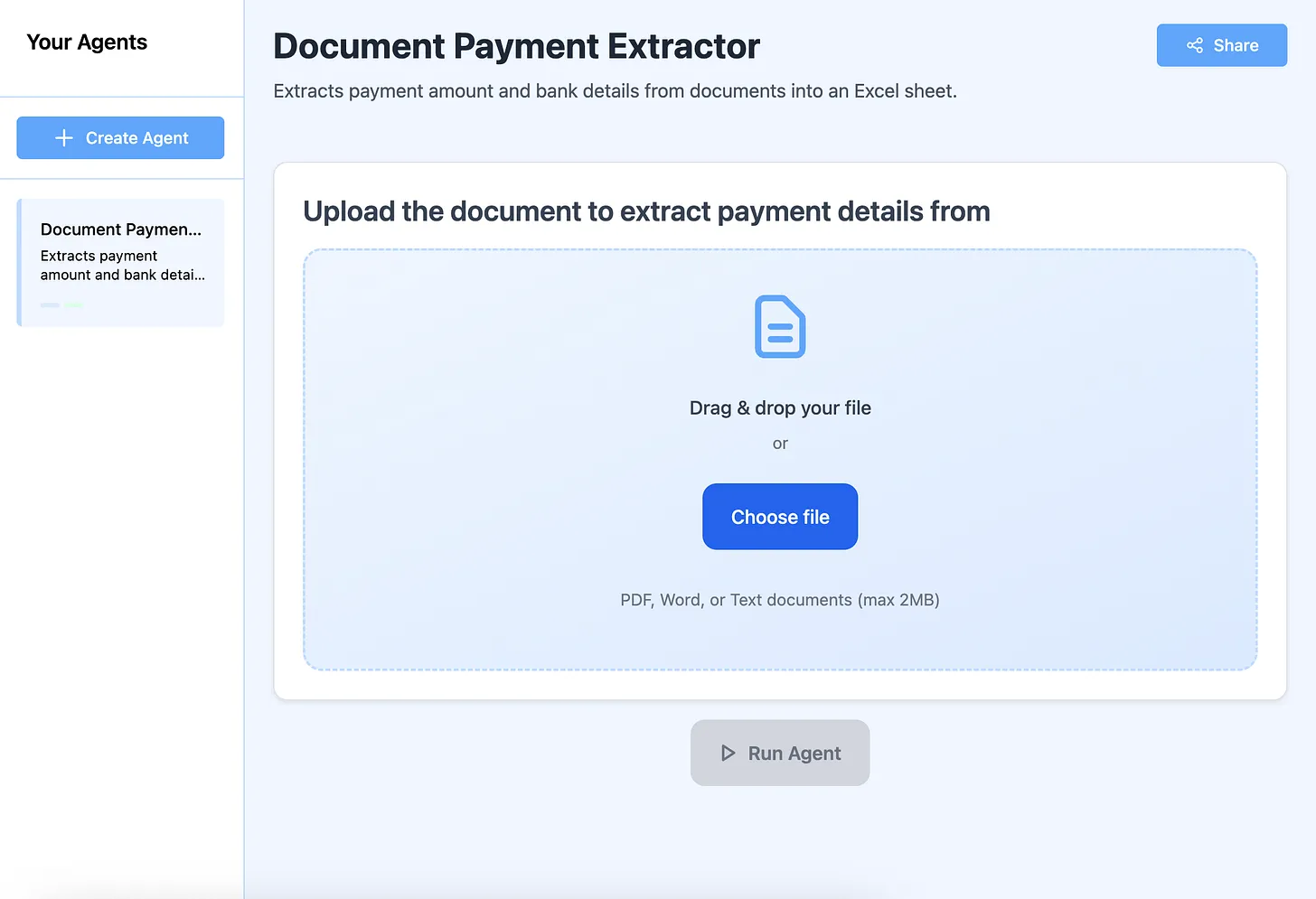
Popular agent categories:
- Business document processing
- Content generation
- Data analysis
- Research automation
- Customer service
Get Help Building Your Agent
Not satisfied with your agent? The support team helps within 24 hours to:
- Refine agent instructions
- Fix output issues
- Add new capabilities
- Optimize performance
No technical knowledge required - describe what you need, get expert help
Start Creating AI Agents Today
Stop doing repetitive work manually. Create AI agents that handle tasks autonomously while you focus on creative, strategic work.
Your first agent checklist:
- ✅ Identify a repetitive task to automate
- ✅ Go to Miskies AI Agents
- ✅ Click "Create+"
- ✅ Select input type (text, file, or link)
- ✅ Write specific instructions
- ✅ Click "Design Agent"
- ✅ Test with real data
- ✅ Refine until perfect
- ✅ Share with your team
Free Forever • No Coding Required • Instant Deployment • Cloud-Based
Join thousands of professionals creating AI agents to automate their work and unlock massive productivity gains.
Your first agent could save hundreds of hours this year. Build it now.
Keywords: how to create ai agents, how to make ai agents, how to build ai agents, create custom ai agents, ai agent development, build ai agents without coding, ai agent builder, develop ai agents, make ai agents online, create intelligent agents