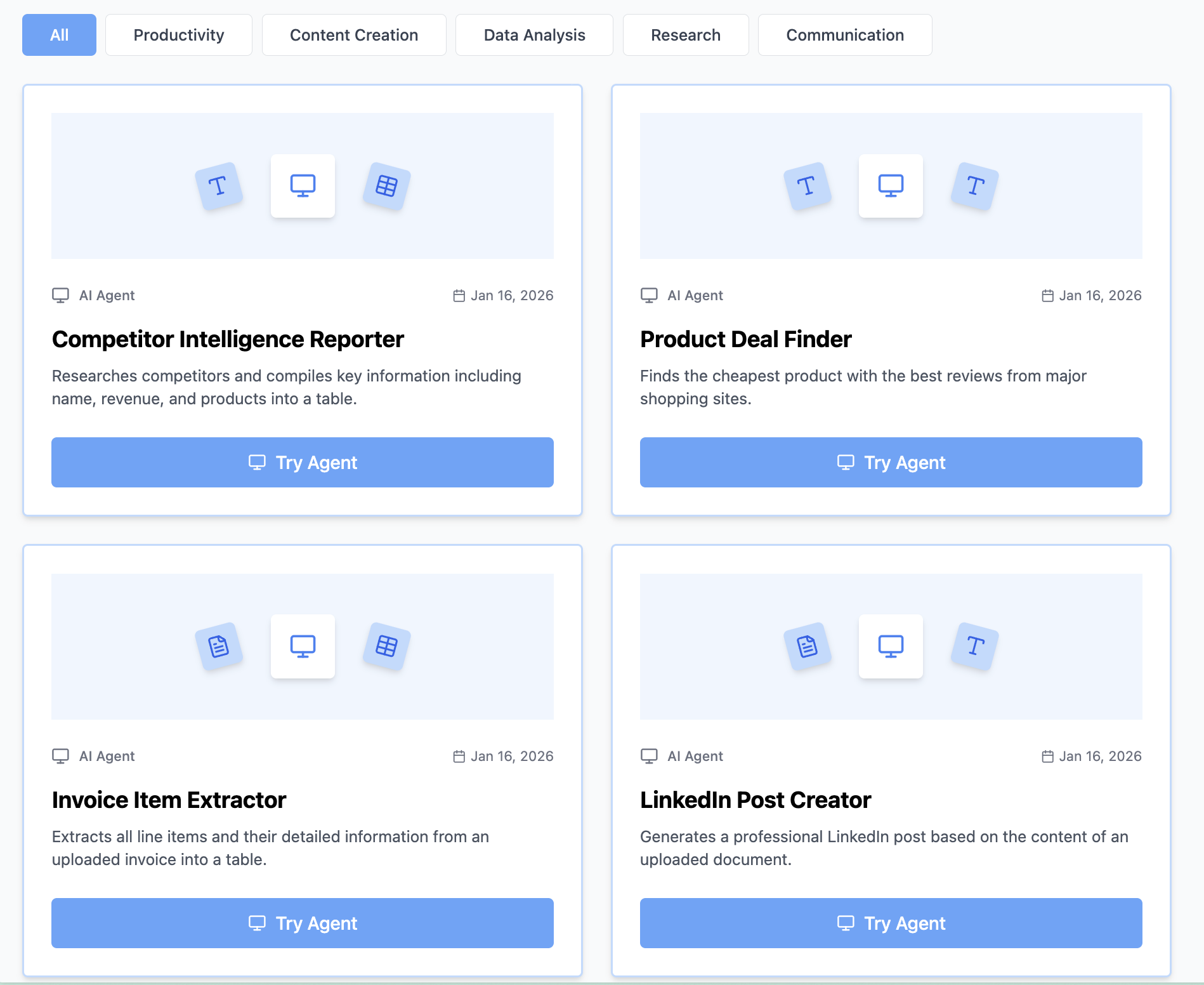
How to Create AI Apps in Minutes: The No-Code Revolution
Creating AI apps used to require a team of developers, months of work, and a six-figure budget. Not anymore. In 2026, anyone can create powerful, professional AI apps in minutes—no coding, no technical skills, no expensive infrastructure.
Whether you're building internal business tools, customer-facing applications, or personal productivity apps, learning how to create AI apps is now accessible to everyone.
What Are AI Apps and Why Build Them?
AI apps are intelligent applications that use artificial intelligence to solve specific problems. Unlike generic chatbots, AI apps are:
Purpose-built:
- Designed for one specific workflow
- Customized to your exact needs
- Branded with your identity
- Optimized for your use case
Production-ready:
- Professional user interface
- Reliable, consistent performance
- Shareable via simple links
- No installation required
- Works on any device
Autonomous:
- Process files automatically
- Generate structured outputs
- Handle complex logic
- Make intelligent decisions
- Scale to any volume
Think of AI apps as your personal software team, available instantly without hiring developers.
Why You Need to Know How to Build AI Apps
For entrepreneurs:
- Launch MVP products in hours, not months
- Test business ideas with zero investment
- Build tools customers will pay for
- Automate your entire business
- Scale without hiring
For businesses:
- Create internal productivity tools
- Build customer self-service apps
- Automate department workflows
- Standardize operations
- Reduce operational costs
For professionals:
- Solve your daily problems
- Build tools for your industry
- Share solutions with colleagues
- Enhance your skill set
- Increase your value
Types of AI Apps You Can Create
Document Processing Apps
Invoice Management App:
- Users upload vendor invoices
- App extracts all payment data
- Outputs accounting-ready Excel
- Flags urgent payments
- Calculates totals and taxes
Resume Screening App:
- Candidates upload resumes
- App analyzes qualifications
- Scores against job requirements
- Ranks top candidates
- Exports comparison report
Contract Analysis App:
- Upload legal contracts
- App identifies key terms
- Flags potential risks
- Extracts obligations and dates
- Generates executive summary
Content Creation Apps
Social Media Manager App:
- Paste blog article URL
- App generates platform-specific posts
- Creates LinkedIn, Twitter, Facebook content
- Includes hashtags and hooks
- Ready to schedule immediately
Email Assistant App:
- Input customer inquiry
- App drafts professional response
- Maintains brand voice
- Addresses all points
- Suggests follow-up actions
Product Description Generator App:
- Enter product specifications
- App creates SEO-optimized copy
- Generates multiple variations
- Includes key benefits
- Ready for e-commerce platforms
Business Intelligence Apps
Competitor Monitor App:
- Input competitor URLs
- App analyzes pricing and features
- Compares to your offerings
- Identifies gaps and opportunities
- Generates strategic insights
Customer Feedback Analyzer App:
- Upload survey responses
- App performs sentiment analysis
- Identifies common themes
- Prioritizes issues
- Creates action plan
Market Research App:
- Define research topic
- App gathers current data
- Analyzes trends
- Summarizes findings
- Provides recommendations
Data Processing Apps
Expense Tracking App:
- Photograph receipts
- App extracts merchant, amount, date
- Categorizes expenses
- Calculates totals and taxes
- Exports to accounting software
Lead Qualifier App:
- Upload prospect information
- App scores lead quality
- Identifies decision makers
- Suggests next actions
- Prioritizes follow-ups
Report Generator App:
- Input raw data files
- App analyzes and visualizes
- Creates professional reports
- Highlights key insights
- Outputs presentation-ready format
How to Create AI Apps: Step-by-Step Guide
Step 1: Define Your AI App Concept
Before building, answer these questions:
What problem does it solve?
- What manual work will it eliminate?
- What process will it streamline?
- What time will it save?
Who will use it?
- Internal team members?
- External customers?
- Specific department?
- General public?
What's the user flow?
- User provides input (text, file, link)
- App processes intelligently
- User receives result (document, data, summary)
What makes it valuable?
- Time savings quantified
- Error reduction achieved
- Cost savings realized
- Quality improvement delivered
Clear concept = successful app
Step 2: Access the AI App Builder
Navigate to https://www.miskies.app/agents
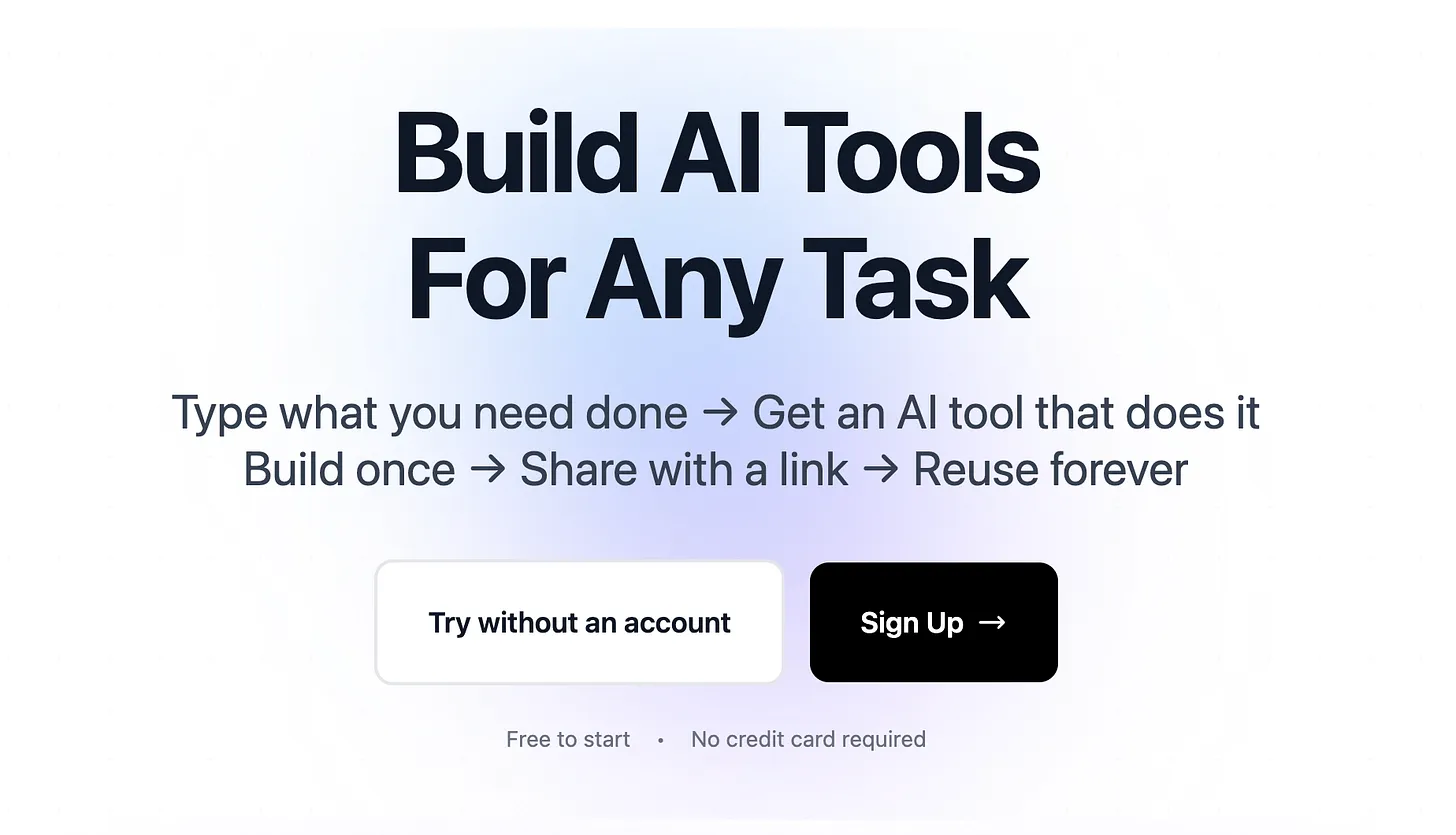
This platform lets you create AI apps without writing any code.
Why create an account:
- Save all apps you build
- Edit and improve apps
- Track usage analytics
- Get support when needed
- Share with unlimited users
Click "Create+" to start building your first AI app.
Step 3: Configure App Input Method
Choose how users will interact with your app:
Text Input Apps: Users type information directly into the app.
Best for:
- Content generation
- Writing assistance
- Question answering
- Text analysis
- Idea generation
Examples:
- Email response generator
- Product description writer
- Social media post creator
- Blog outline maker
- Marketing copy generator
File Upload Apps: Users upload documents, images, or data files.
Best for:
- Document processing
- Data extraction
- File conversion
- Image analysis
- Bulk operations
Examples:
- Invoice processor
- Resume screener
- Receipt organizer
- Contract analyzer
- Image classifier
Link Input Apps: Users paste URLs to web content.
Best for:
- Web content analysis
- Article summarization
- Competitor research
- SEO auditing
- Content extraction
Examples:
- Website analyzer
- Article summarizer
- Competitor intelligence
- SEO checker
- Content scraper
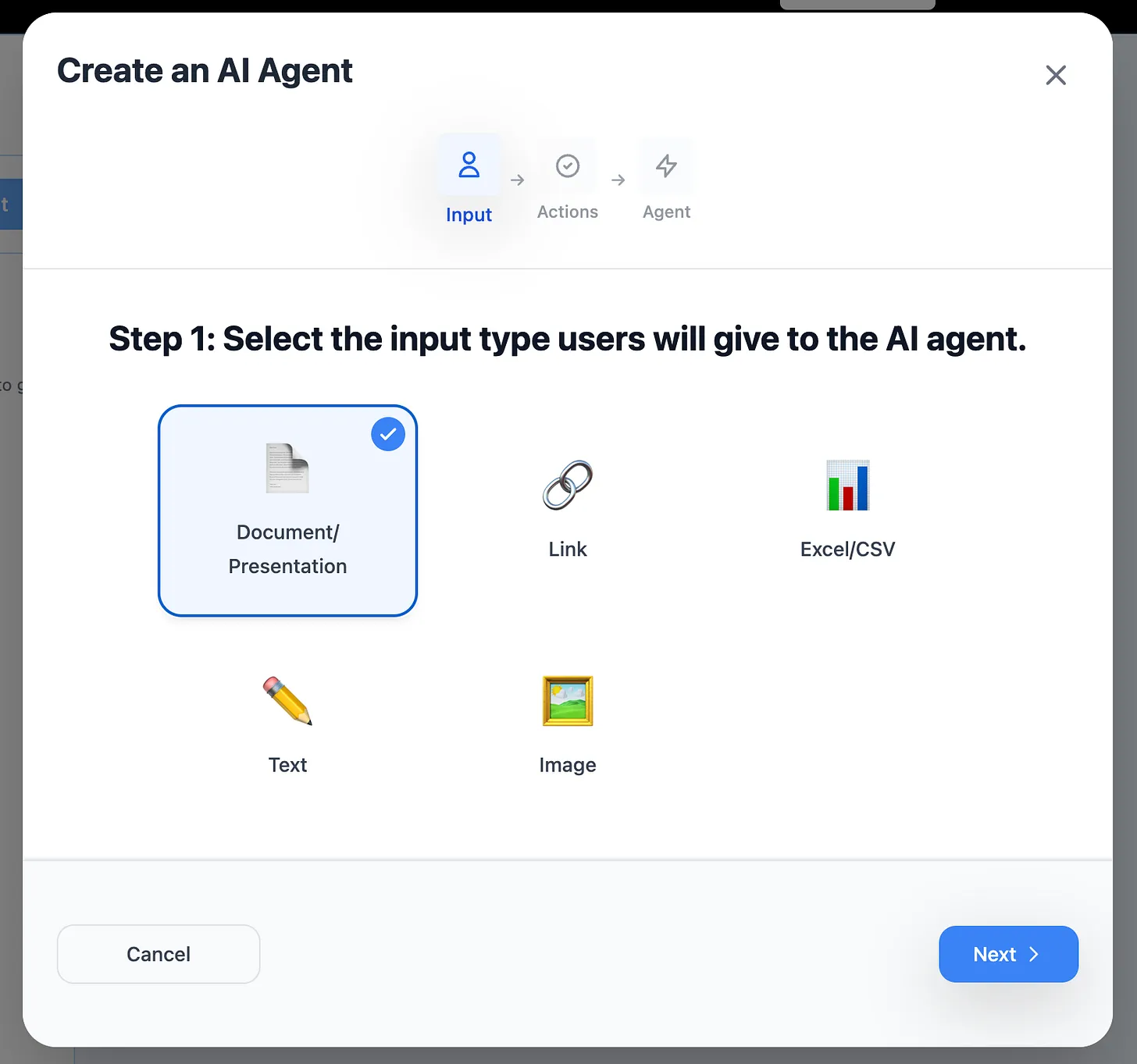
Pro tip: Most business apps use file upload or link input.
Step 4: Enable Advanced Capabilities
Web Research: Enable if your app needs current internet data.
When to enable:
- Market research apps
- Competitor analysis tools
- Price comparison apps
- News monitoring tools
- Trend analysis apps
When to skip:
- Document processing apps
- Data extraction tools
- Content formatting apps
- Internal workflow apps
- File conversion tools
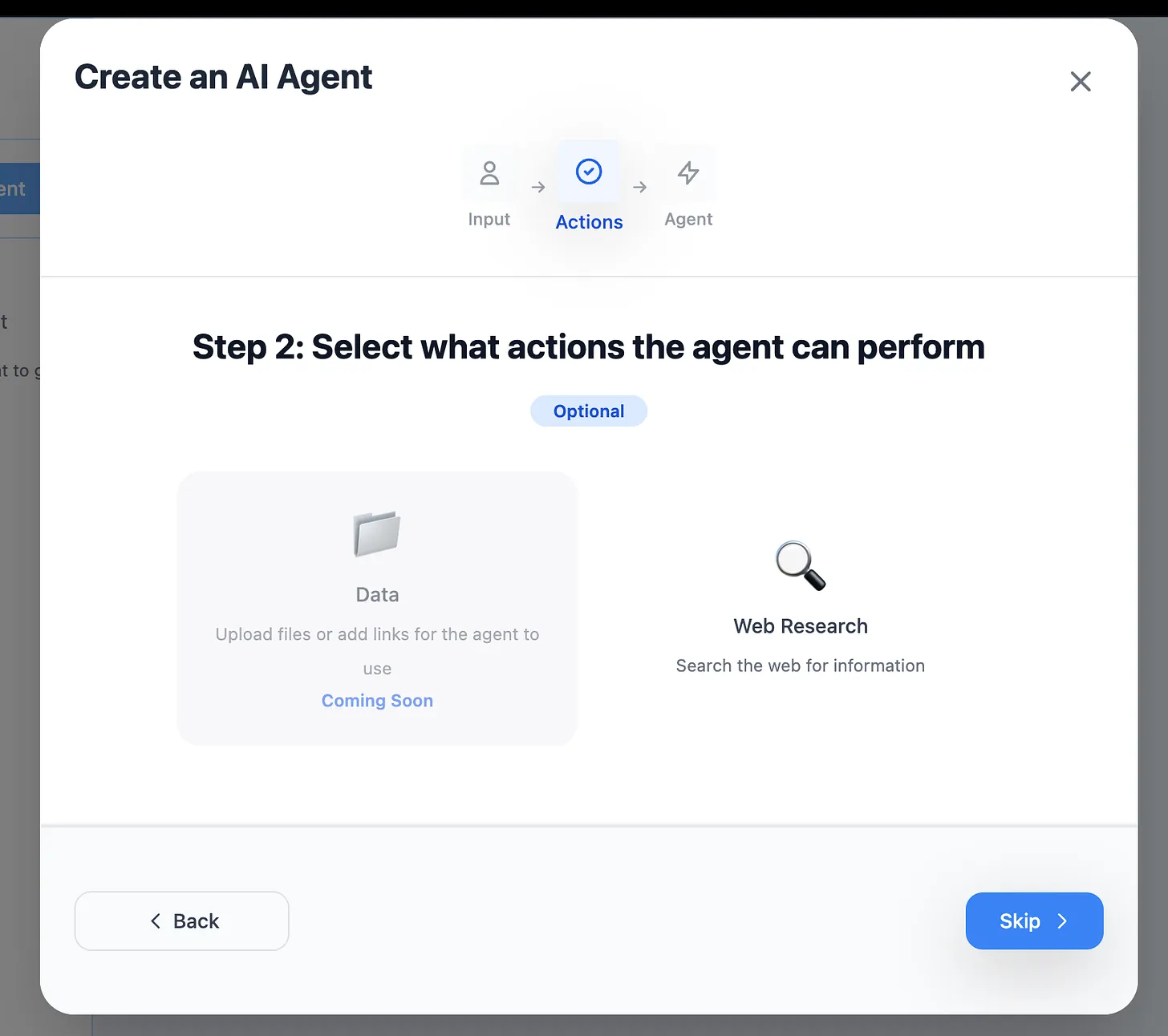
Coming soon:
- Custom data source connections
- Database integrations
- API connections
- Multi-step workflows
- Conditional logic
Step 5: Write Your App Logic
This is where you define what your AI app actually does.
Structure your app description:
APP PURPOSE: [One sentence describing what it does]

INPUT: [What data users provide]

PROCESSING: [What the app does with that data]
- Step 1: [First operation]
- Step 2: [Second operation]
- Step 3: [Third operation]

OUTPUT: [Exact format of results]
- File type (Excel, Word, PDF, etc.)
- Structure (columns, sections, format)
- Additional requirements

EDGE CASES: [How to handle problems]
- If [condition], then [action]
- If [condition], then [action]

QUALITY CHECKS: [Validation rules]
- Verify [requirement]
- Flag if [condition]
Example: Invoice Processing App
APP PURPOSE: Extract payment information from vendor invoices

INPUT: PDF invoices from any vendor

PROCESSING:
- Extract invoice number, date, vendor name
- Identify all line items with descriptions and amounts
- Calculate subtotals, taxes, and totals
- Determine payment due date
- Flag high-value invoices

OUTPUT: Excel file with these columns:
- Invoice_Number
- Invoice_Date
- Vendor_Name
- Line_Items (semicolon separated)
- Subtotal
- Tax_Amount
- Total_Amount
- Due_Date
- Priority_Flag (HIGH if over $10,000)

EDGE CASES:
- If date missing, mark as "DATE_NOT_FOUND"
- If vendor name unclear, mark as "MANUAL_REVIEW"
- If multiple currencies, convert all to USD
- Skip any invoices marked as "DRAFT"

QUALITY CHECKS:
- Verify subtotal + tax = total (within $0.50)
- Flag if due date is in the past
- Highlight if vendor name not in approved list
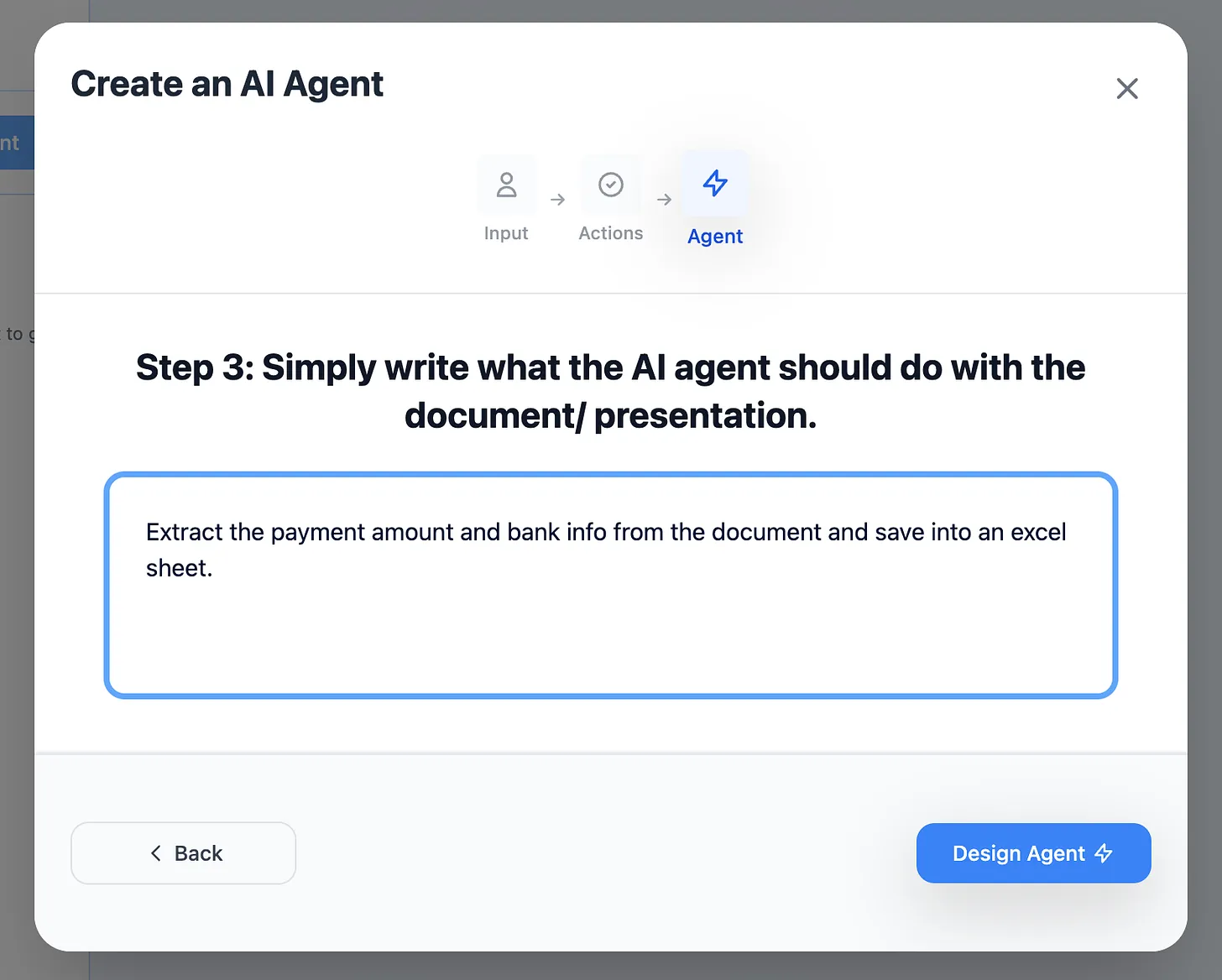
The more detailed your description, the more powerful your app becomes.
Step 6: Generate Your AI App
Click "Design Agent" and your app is created in 5-10 seconds.
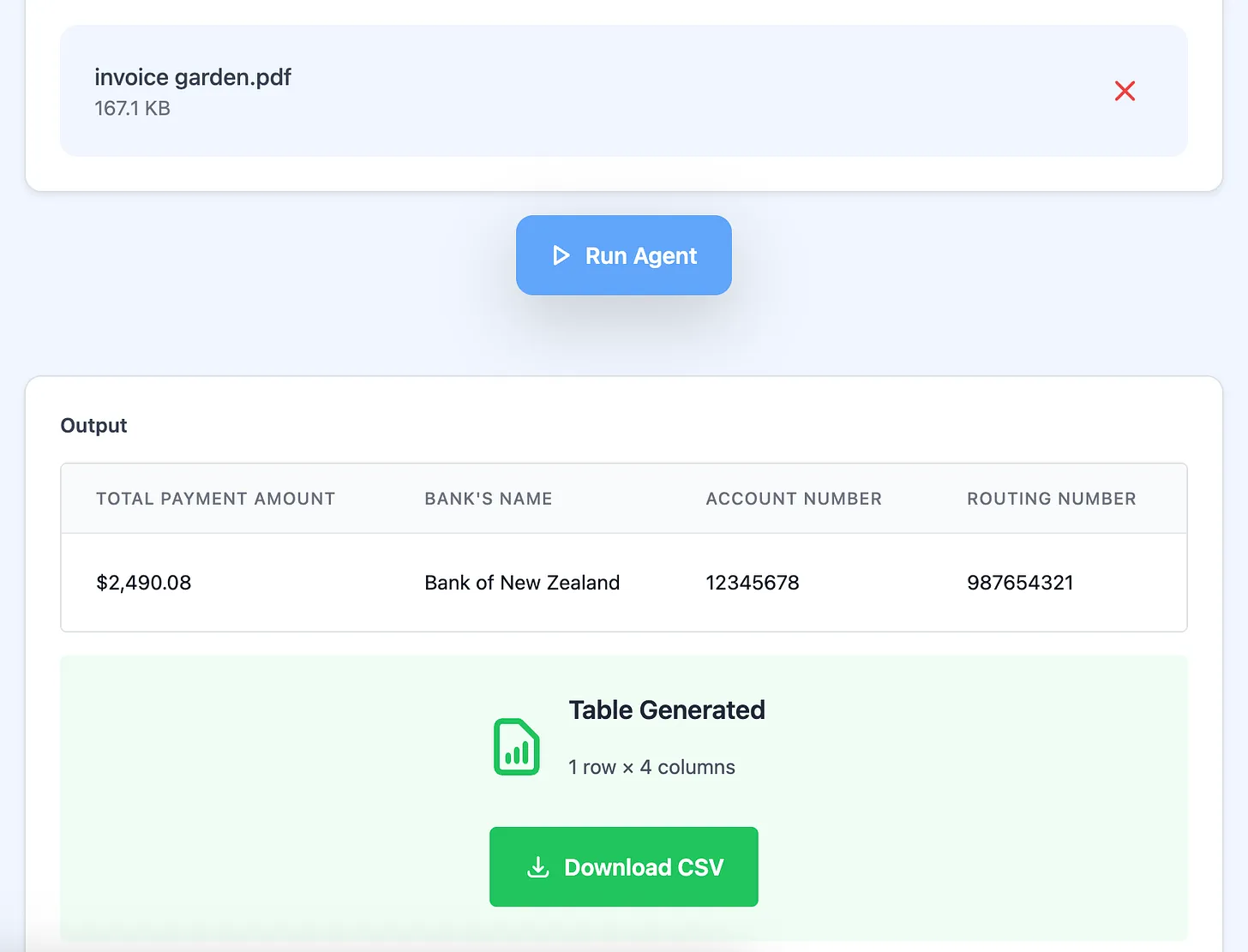
What happens during generation:
- AI analyzes your requirements
- Builds processing logic
- Creates user interface
- Sets up output formatting
- Generates app URL
- Makes it instantly shareable
Your app is now live and ready to use!
Step 7: Test Your AI App Thoroughly
Critical testing phase:
Test 1 - Perfect Input:
- Use ideal, well-formatted data
- Verify correct processing
- Check output accuracy
Test 2 - Imperfect Input:
- Upload corrupted files
- Try unexpected formats
- Use edge cases
- Test maximum sizes
Test 3 - Edge Cases:
- Missing required data
- Wrong file types
- Empty fields
- Unusual formatting
Test 4 - Volume:
- Process multiple files
- Check consistency
- Verify speed
- Monitor reliability
Fix issues by refining your app description and regenerating.
Step 8: Deploy and Share Your AI App
Once testing confirms your app works perfectly, share it.
Click "Share" to get your app's unique URL.
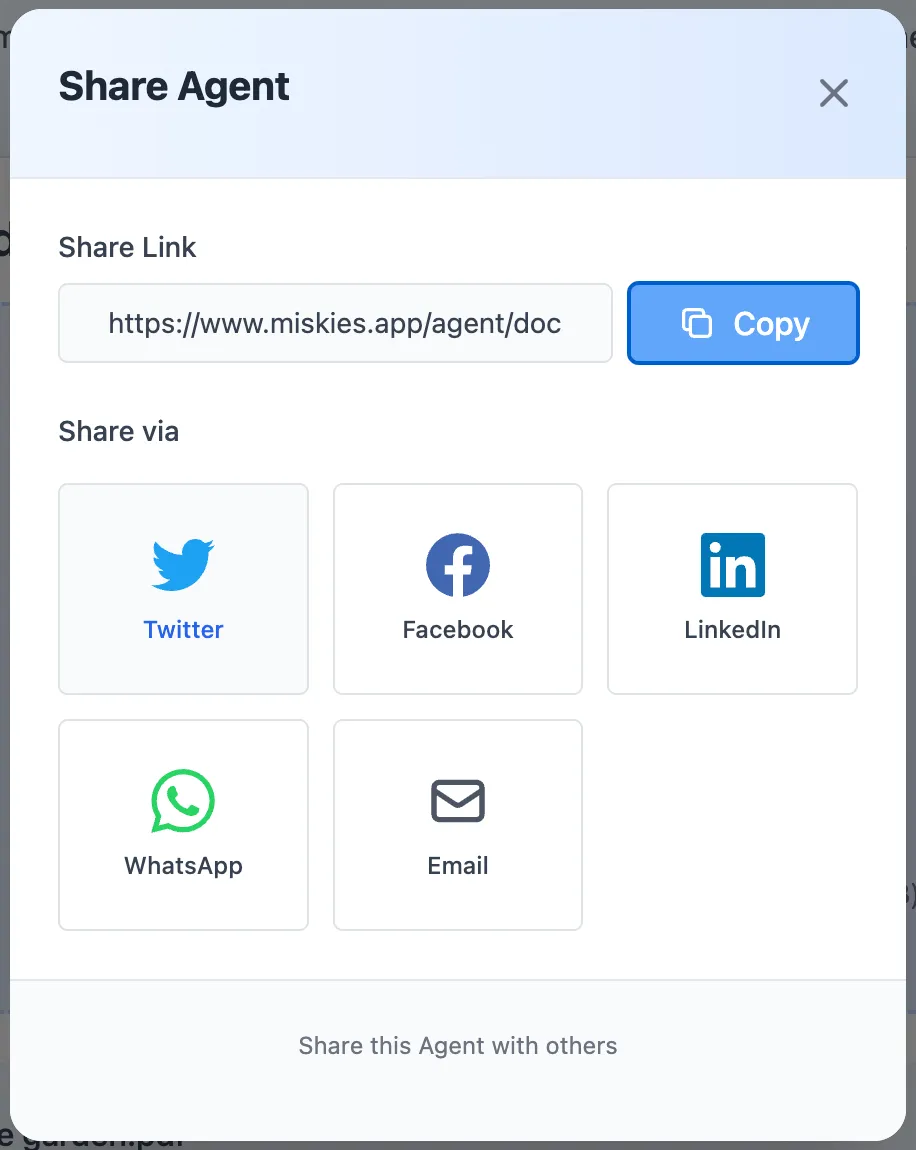
Your app link looks like:
https://www.miskies.app/agent/your-app-name-xyz123
Anyone with this link can:
- Use the app immediately
- No account required
- No installation needed
- Access from any device
- Get instant results
- Use unlimited times
Perfect for:
- Team deployment
- Client deliverables
- Public tools
- Partner collaboration
- Customer self-service
Real-World AI Apps and Their Impact
Case Study: HR Resume Screening App
Problem:
- HR team screening 200 resumes per position
- 3-5 minutes per resume manually
- 10-16 hours per hiring round
- Inconsistent evaluation criteria
- Unconscious bias risks
AI App Solution:
- Upload resume → instant analysis
- Extracts all relevant data
- Scores against job requirements
- Ranks all candidates objectively
- Generates comparison report
Impact:
- 200 resumes processed in 20 minutes
- Saved 15+ hours per hiring round
- Consistent, objective scoring
- Reduced time-to-hire by 40%
- Better candidate quality
ROI: 15 hours × $35/hour = $525 saved per position
Case Study: Sales Proposal Generator App
Problem:
- Sales team creating 50 proposals monthly
- 2 hours to customize each proposal
- 100 hours of sales time wasted monthly
- Inconsistent proposal quality
- Missed opportunities due to slow response
AI App Solution:
- Input client details and requirements
- App generates customized proposal
- Includes pricing, timeline, deliverables
- Maintains brand standards
- Ready to send in 5 minutes
Impact:
- Proposal creation: 2 hours → 5 minutes
- 95% time reduction per proposal
- 97 hours saved monthly
- Faster response to opportunities
- Consistent, professional quality
ROI: 97 hours × $50/hour = $4,850 saved monthly = $58,200 annually
Case Study: Customer Support Email App
Problem:
- Support team handling 500 emails daily
- 5 minutes average response time
- 40+ hours daily team effort
- Quality varies by agent
- Customer satisfaction inconsistent
AI App Solution:
- Input customer inquiry
- App generates empathetic response
- Addresses all customer points
- Maintains brand voice
- Suggests relevant resources
Impact:
- Response time: 5 minutes → 1 minute
- 80% time reduction
- Handled 3x more tickets with same team
- Consistent, high-quality responses
- Customer satisfaction up 25%
ROI: 32 hours saved daily × $25/hour × 20 work days = $16,000 monthly
Case Study: Invoice Processing App
Problem:
- Accounting processing 100 invoices weekly
- 5 minutes manual data entry per invoice
- 8+ hours weekly on data entry
- Frequent data entry errors
- Payment delays due to errors
AI App Solution:
- Upload invoice PDF
- App extracts all payment data
- Validates totals and dates
- Exports accounting-ready Excel
- Flags urgent payments
Impact:
- Processing: 5 minutes → 30 seconds per invoice
- 90% time reduction
- 7.5 hours saved weekly
- Zero data entry errors
- Improved vendor relationships
ROI: 7.5 hours × $30/hour × 52 weeks = $11,700 annually
Advanced AI App Development Strategies
Strategy 1: Build App Ecosystems
Create suites of connected apps:
Marketing Department Suite:
- Content Research App - Finds trending topics
- Article Writer App - Creates draft content
- SEO Optimizer App - Optimizes for search
- Social Distribution App - Generates platform posts
- Performance Tracker App - Analyzes results
Each app specializes = better results than one mega-app
Strategy 2: Progressive Enhancement
Version 1 (Day 1):
- Basic functionality
- Core features only
- Simple output
Version 2 (Week 1):
- User feedback integrated
- Edge cases handled
- Enhanced output
Version 3 (Month 1):
- Advanced features
- Quality improvements
- Performance optimization
Iterate based on real usage = continuously improving apps
Strategy 3: Department-Specific Apps
Finance Department:
- Expense categorizer
- Budget variance analyzer
- Financial report generator
- Audit preparation tool
Operations Department:
- Inventory optimizer
- Supply chain monitor
- Process documentation tool
- Workflow analyzer
Customer Success:
- Ticket classifier
- Response generator
- Satisfaction analyzer
- Churn predictor
HR Department:
- Resume screener
- Interview scheduler
- Onboarding checklist generator
- Performance review compiler
Strategy 4: Customer-Facing Apps
Build apps that customers use directly:
For SaaS companies:
- ROI calculator
- Setup assistant
- Configuration generator
- Usage optimizer
For service businesses:
- Quote generator
- Project scoper
- Timeline estimator
- Deliverables checker
For e-commerce:
- Product finder
- Size recommender
- Gift selector
- Return processor
Customer-facing apps = competitive advantage
How to Make AI Apps That Users Love
Design Principle 1: Simplicity
One clear purpose:
- Does one thing excellently
- Obvious what it does
- Self-explanatory interface
- No training required
Example: ❌ "Upload any document for AI processing" ✅ "Upload invoices to extract payment data"
Design Principle 2: Speed
Users expect instant results:
- Process most tasks in under 30 seconds
- Show progress indicators
- Return results immediately
- No unnecessary steps
Target metrics:
- Simple tasks: 5-10 seconds
- Medium tasks: 15-30 seconds
- Complex tasks: 30-60 seconds
Design Principle 3: Reliability
Consistent performance:
- Same input = same output
- Handle edge cases gracefully
- Validate results automatically
- Provide confidence scores
Example output: "Invoice processed successfully (Confidence: 98%)"
Design Principle 4: Clarity
Users always know what's happening:
- Clear instructions
- Example inputs provided
- Error messages in plain English
- Helpful troubleshooting
Good error message: "We couldn't find a date on this invoice. Please ensure the invoice includes a date field, or contact support."
Design Principle 5: Value
Obvious benefits:
- Saves quantifiable time
- Reduces specific errors
- Improves quality measurably
- Solves real pain point
Communicate value: "This app processes 50 invoices in 5 minutes vs 4 hours manually"
Common Mistakes When Creating AI Apps
Mistake #1: Building Before Understanding
Problem:
- Start building without clear problem definition
- No user research
- Unclear value proposition
Solution:
- Interview potential users
- Document current workflow
- Quantify time/cost of problem
- Validate need before building
Mistake #2: Feature Bloat
Problem:
- Adding every possible feature
- App tries to do everything
- Becomes slow and unreliable
Solution:
- Build single-purpose apps
- Launch minimal viable version
- Add features based on user feedback
- Keep each app focused
Mistake #3: Poor App Descriptions
Problem:
- Vague instructions to AI
- Undefined output formats
- Missing edge case handling
Solution:
- Write detailed, specific descriptions
- Define exact output structure
- Document edge case behavior
- Test thoroughly before deploying
Mistake #4: No User Testing
Problem:
- Building in isolation
- Assuming user needs
- Deploying without feedback
Solution:
- Test with real users early
- Observe actual usage
- Collect feedback systematically
- Iterate based on insights
Mistake #5: Ignoring Analytics
Problem:
- No usage tracking
- Can't measure impact
- Don't know what needs improvement
Solution:
- Track usage frequency
- Measure time savings
- Monitor error rates
- Collect satisfaction scores
Measuring AI App Success
Key Performance Metrics
Usage Metrics:
- Number of active users
- Uses per user per week
- User retention rate
- Growth rate
Efficiency Metrics:
- Time saved per use
- Tasks automated completely
- Error rate reduction
- Output quality scores
Business Metrics:
- Cost savings realized
- Revenue enabled
- Customer satisfaction impact
- Team productivity increase
Adoption Metrics:
- Onboarding completion rate
- Feature usage rates
- Support ticket volume
- User feedback scores
Calculate ROI of Your AI Apps
Time Savings ROI:
Manual time per task: 10 minutes
App time per task: 1 minute
Time saved: 9 minutes per task
Tasks per month: 200
Total time saved: 1,800 minutes = 30 hours
Hourly rate: $40
Monthly savings: $1,200
Annual savings: $14,400
Quality Improvement ROI:
Error rate before: 5%
Error rate after: 0.1%
Errors prevented: 4.9% of 200 tasks = 10 errors/month
Cost per error: $500 (rework + delays)
Monthly savings: $5,000
Annual savings: $60,000
Scale ROI:
Work capacity before: 100 tasks/month
Work capacity after: 300 tasks/month
Capacity increase: 200%
Revenue per task: $50
Additional monthly revenue: $10,000
Annual revenue increase: $120,000
Sharing and Monetizing AI Apps
Internal Deployment
For team use:
- Share via team chat (Slack, Teams)
- Add to company wiki
- Include in onboarding materials
- Promote in team meetings
Track adoption:
- Monitor usage by department
- Collect success stories
- Document time savings
- Showcase quick wins
Client Deliverables
Add value to services:
- Custom apps for each client
- White-label with their branding
- Include in service packages
- Ongoing app improvements
Benefits:
- Differentiate from competitors
- Increase client retention
- Generate additional revenue
- Build client dependence
Public Tools
Share with community:
- List on app marketplace
- Share on social media
- Post to product communities
- Write case studies
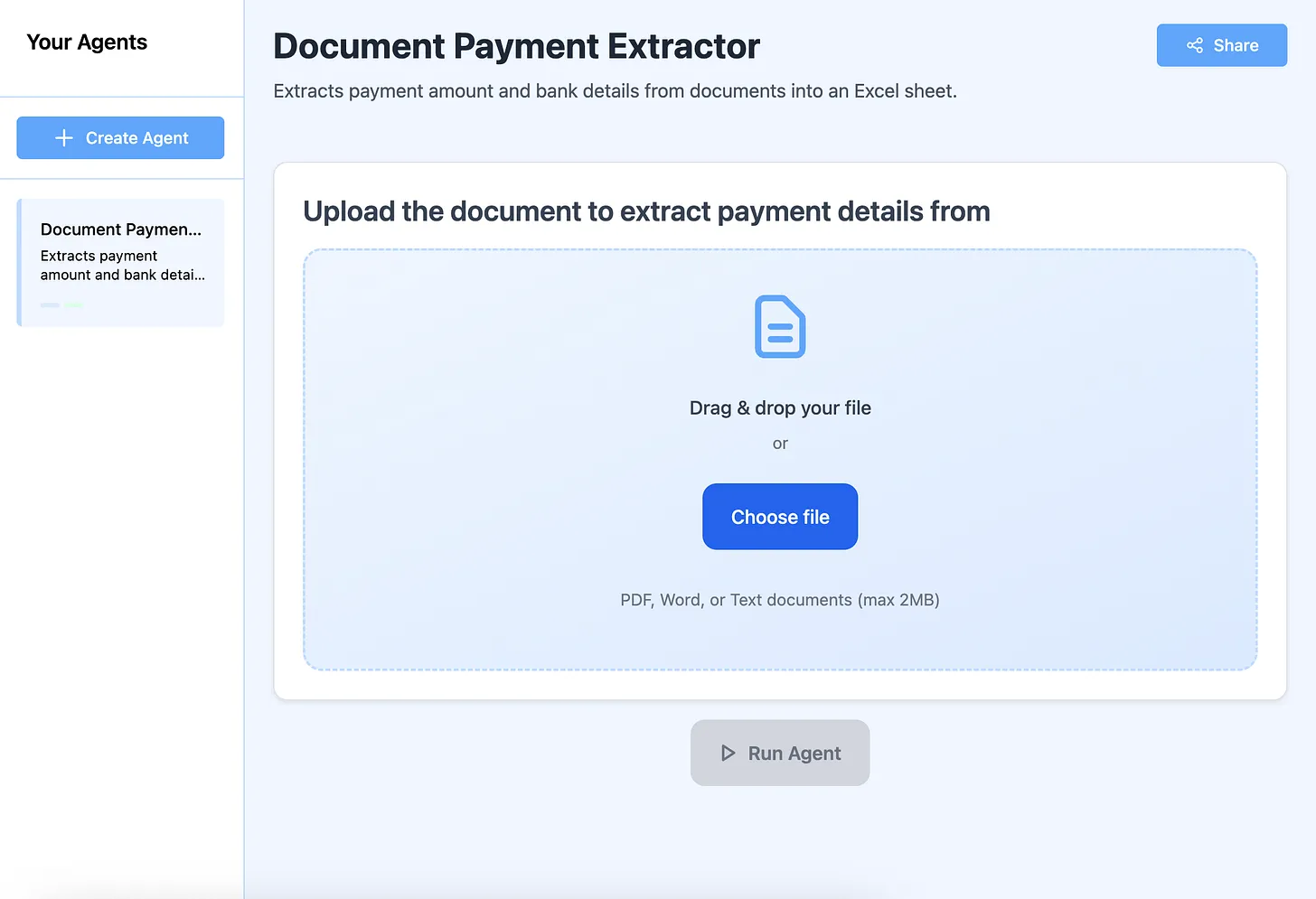
Explore public apps: Visit App Gallery
Future: App Monetization
Coming capabilities:
- Charge users for app access
- Subscription-based apps
- Usage-based pricing
- Enterprise licensing
Build apps now = early advantage when monetization launches
The Future of AI App Development
AI app creation is evolving rapidly:
Emerging capabilities:
- Multi-step workflows
- Database connections
- API integrations
- Custom branding
- Advanced logic
- Team collaboration
What this means:
- More complex apps possible
- Greater business value
- Professional-grade applications
- Enterprise-ready solutions
Stay ahead:
- Build apps regularly
- Experiment with features
- Join early access programs
- Share knowledge
- Provide feedback
Getting Help With Your AI Apps
Need assistance?
The support team helps within 24 hours to:
- Refine app logic
- Fix processing issues
- Optimize performance
- Add capabilities
- Improve user experience
No technical knowledge required - just describe what you need
Create Your First AI App Today
Stop wasting time on repetitive work. Create AI apps that automate tasks, delight users, and transform your productivity.
Your app creation checklist:
- ✅ Identify a repetitive, time-consuming task
- ✅ Go to Miskies AI Apps
- ✅ Click "Create+"
- ✅ Choose input type (text, file, or link)
- ✅ Write detailed app description
- ✅ Click "Design Agent"
- ✅ Test with real data thoroughly
- ✅ Refine until perfect
- ✅ Share with users
- ✅ Measure impact
Free Forever • Unlimited Apps • No Coding Required • Instant Deployment
Join thousands creating AI apps to work smarter, serve customers better, and build the future of productivity.
Your first app could save hundreds of hours this year. Create it now.
Keywords: how to create ai apps, how to build ai apps, how to make ai apps, create ai applications, build ai apps without coding, ai app builder, ai app development, make ai apps online, develop ai apps no code, create custom ai apps, ai application builder