Generate AI Tools Instantly: The Complete Guide to No-Code Automation
What if you could generate AI tools in under 60 seconds? No programming, no complex setup, no technical knowledge required. Just describe what you need, and get a fully functional AI tool ready to use and share.
In 2026, this isn't science fiction—it's reality. Thousands of professionals are already using instant AI tool generation to automate hours of work daily.
Why Generate AI Tools Instead of Using Generic AI?
Generic AI chatbots are powerful, but they have serious limitations for professional work:
Problems with ChatGPT and similar tools:
- ❌ Must prompt the same task repeatedly
- ❌ Inconsistent output quality
- ❌ Can't share your workflow with teammates
- ❌ Requires copying and pasting results
- ❌ No standardized output formats
- ❌ Starts fresh every conversation
Benefits of generated AI tools:
- ✅ Build once, use forever with one click
- ✅ Consistent, professional results every time
- ✅ Share with anyone via simple link
- ✅ Direct file downloads (Excel, Word, etc.)
- ✅ Standardized output formats
- ✅ Remembers your exact requirements
What You Can Generate with AI Tools
The possibilities are nearly limitless:
Document Processing:
- Invoice data extractors
- Resume parsers
- Contract analyzers
- Receipt organizers
- Form processors
Content Creation:
- Email response generators
- Social media post creators
- Blog outline builders
- Product description writers
- Ad copy generators
Data Analysis:
- Survey analyzers
- Financial report summarizers
- Competitor research tools
- Sentiment analyzers
- Trend identifiers
Business Automation:
- Lead qualifiers
- Meeting summarizers
- Report generators
- Proposal builders
- Follow-up drafters
How to Generate AI Tools in Under 1 Minute
Step 1: Access the AI Tool Generator
Navigate to https://www.miskies.app/agents
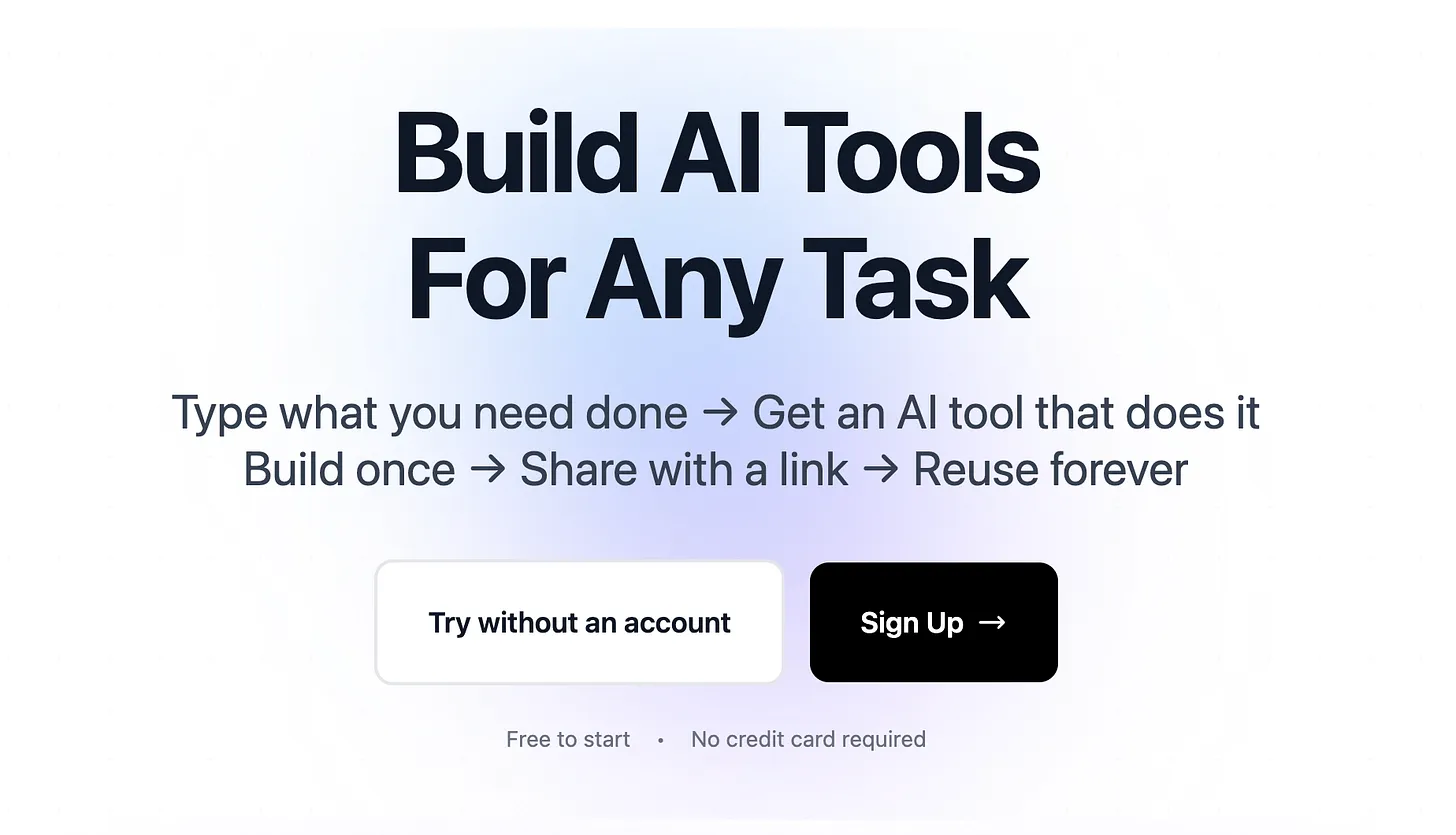
Why sign up?
- Save every tool you generate
- Access tools from any device
- Share with unlimited people
- Track tool usage
- Get support when needed
Click "Create+" to start generating your first AI tool.
Step 2: Choose Your Input Type (10 seconds)
Select how users will provide data to your tool:
Text Input: Users type information directly
- Content generation tasks
- Writing and rewriting
- Question answering
- Text analysis
File Upload: Users provide documents or images
- PDF processing
- Data extraction
- Document analysis
- Image interpretation
Web Link: Users paste URLs
- Website analysis
- Article summarization
- Competitor research
- Content extraction
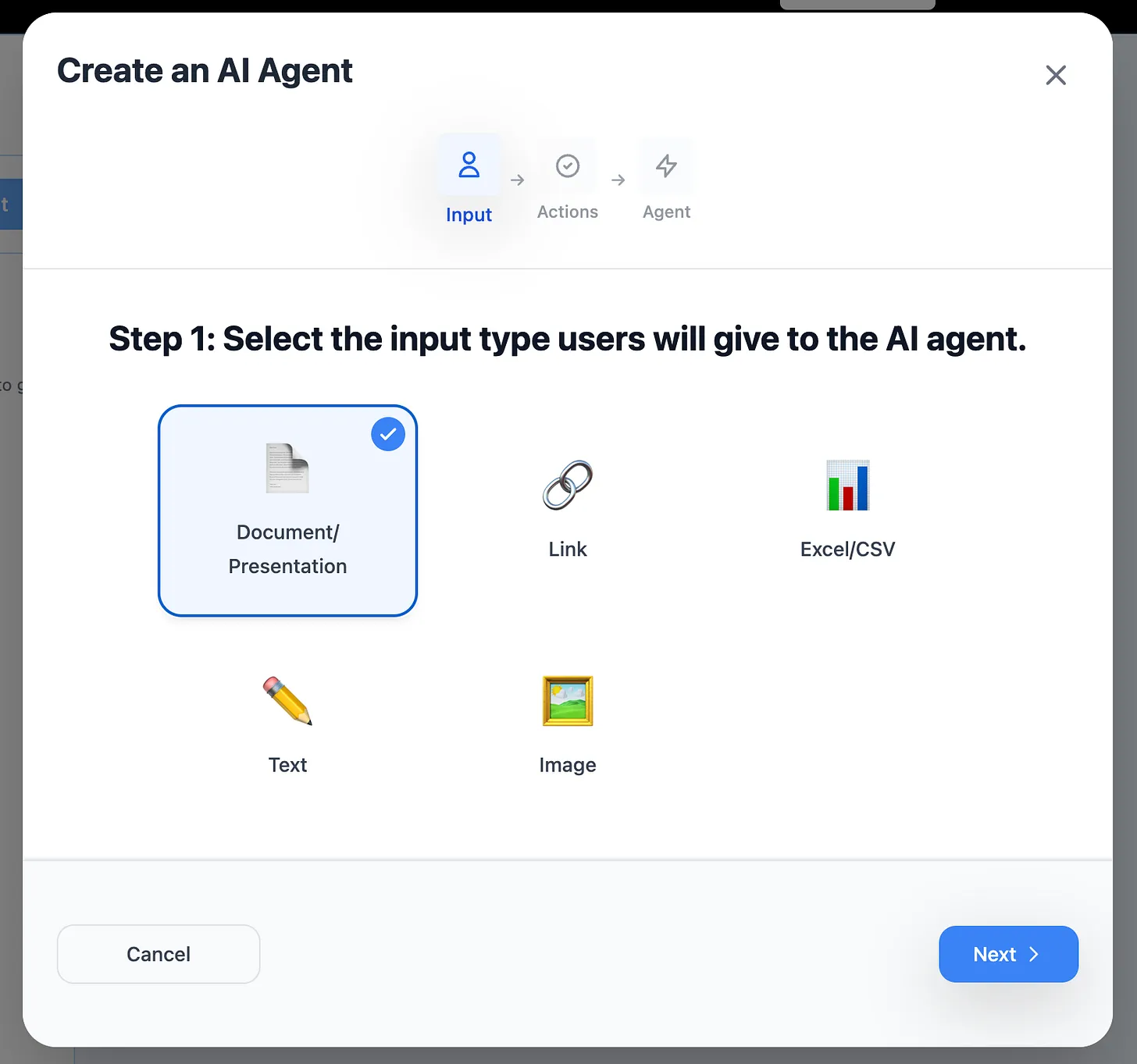
Choose based on where your data comes from.
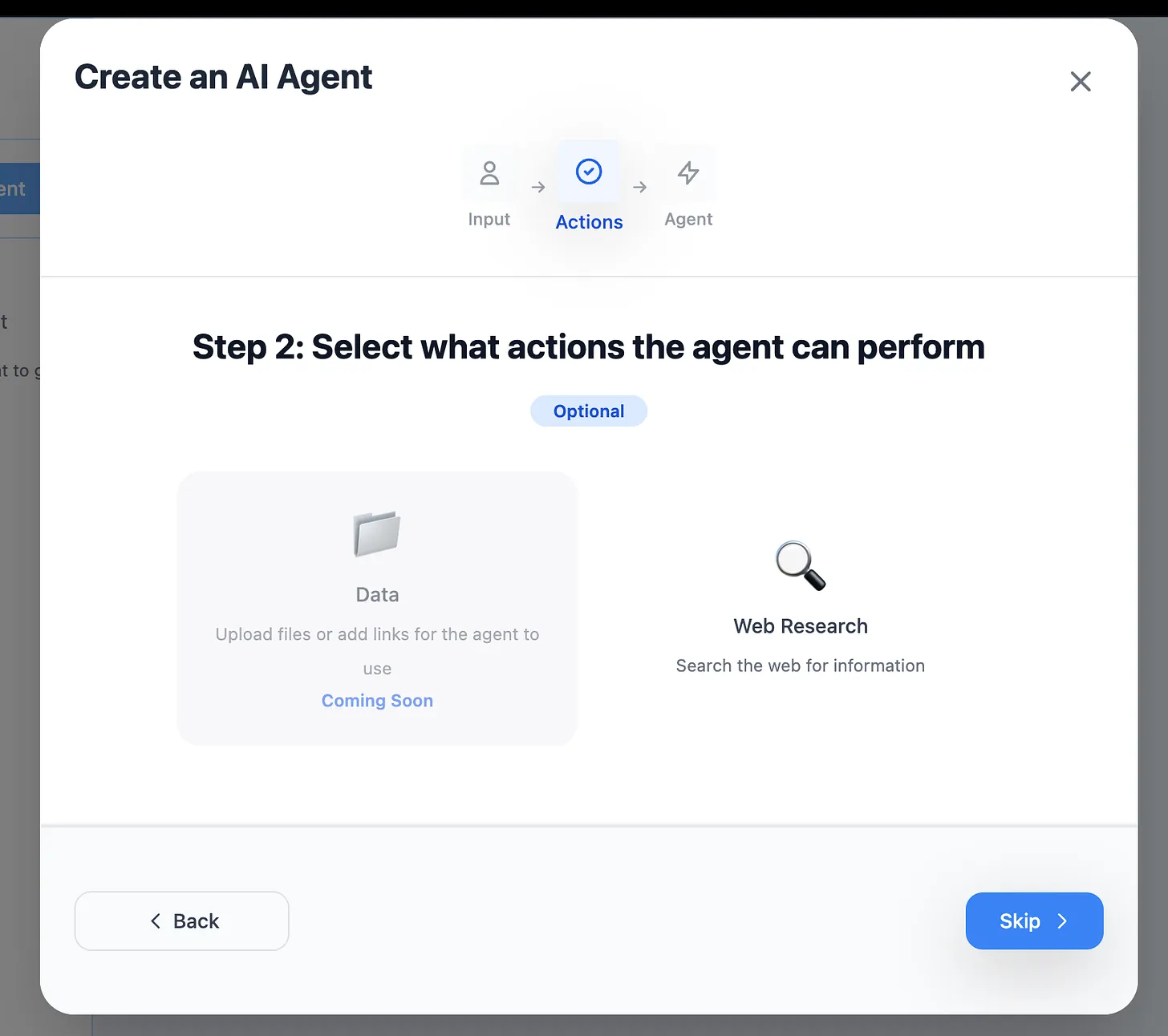
Step 3: Enable Web Research (Optional - 5 seconds)
Should your tool access the internet for current information?
Enable for:
- Market research
- Current events
- Price checking
- Trend analysis
- Fact verification
Skip for:
- File processing
- Data formatting
- Template filling
- Internal documents
- Personal information
Step 4: Describe Your Tool (30 seconds)
This is where the magic happens. Describe exactly what you want your AI tool to do.
Formula for perfect descriptions:
Input: [What data you're providing]
Task: [What should be done]
Output: [Exact format you want]
Details: [Specific requirements]
Example 1 - Invoice Extractor:
Input: Uploaded invoice PDFs from various vendors
Task: Extract all payment-related information
Output: Excel file with columns - Invoice#, Date, Vendor, Amount, Due Date
Details: Convert all amounts to USD, flag invoices over $5000
Example 2 - Email Response Generator:
Input: Customer complaint or inquiry (pasted text)
Task: Generate professional, empathetic response
Output: Email draft under 150 words
Details: Acknowledge issue, offer solution, maintain friendly tone
Example 3 - Resume Screener:
Input: Resume PDF upload
Task: Extract candidate qualifications and score fit
Output: Excel with Name, Experience Years, Skills, Education, Score (1-10)
Details: Score based on software engineering requirements
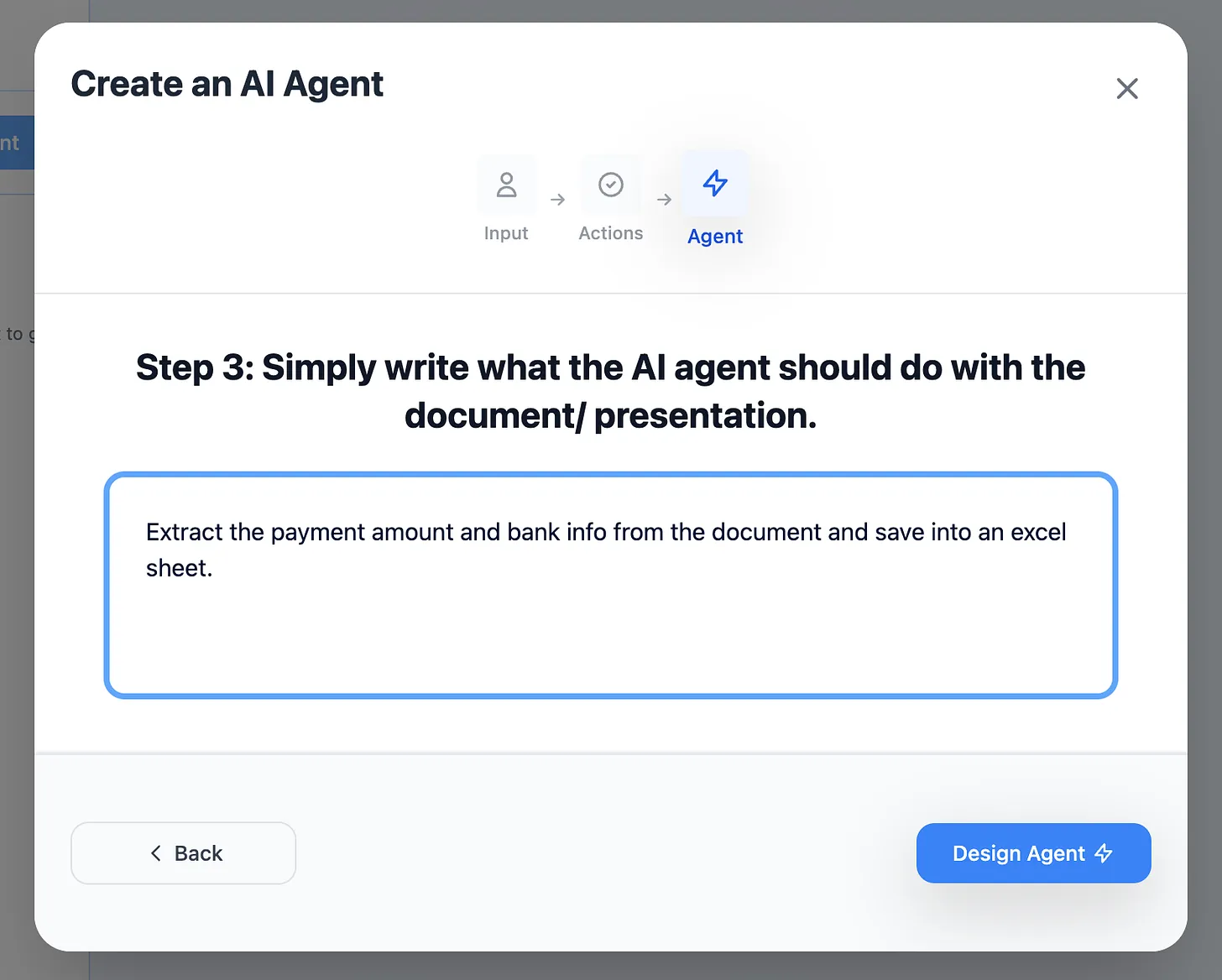
The more specific you are, the better your generated tool performs.
Step 5: Generate Your Tool (10 seconds)
Click "Design Agent" and wait 5-10 seconds.
The AI tool generator:
- Processes your requirements
- Creates the tool interface
- Sets up AI logic
- Configures output format
- Generates unique URL
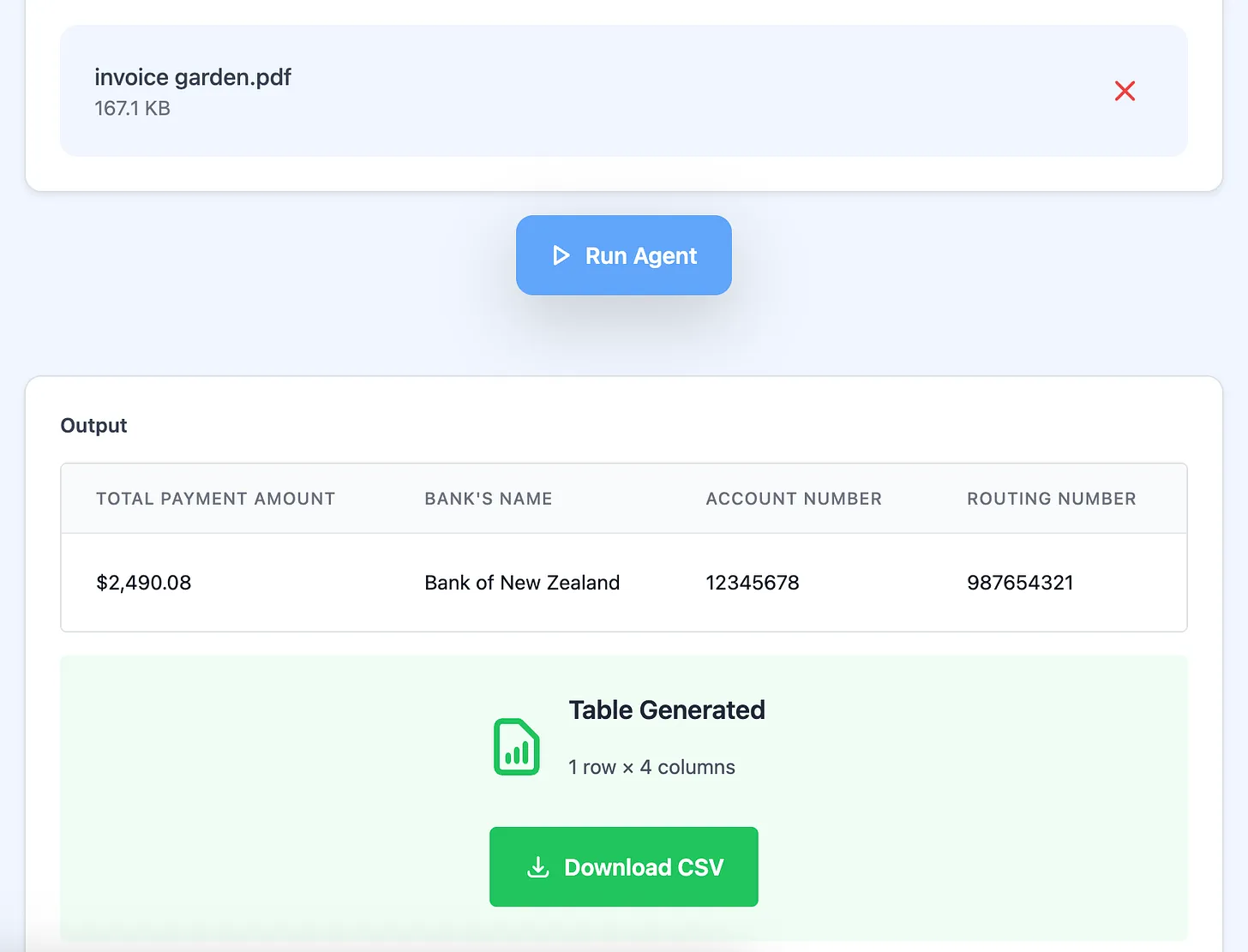
That's it! Your tool is ready.
Instant Testing: Does Your Tool Work?
Immediately test with real data:
- Upload a sample file (or enter test text)
- Click to run the tool
- Review the output
Check for:
- ✅ Correct data extraction
- ✅ Proper formatting
- ✅ Expected file type
- ✅ Accurate processing
- ✅ Usable results
Not perfect? Generate a refined version:
- Make your description more specific
- Add edge case handling
- Define output format more precisely
- Test again
Perfect? Start using it immediately!
Sharing Your Generated AI Tools
Once you've generated a working tool, share it with anyone.
Click "Share" in the top right corner.
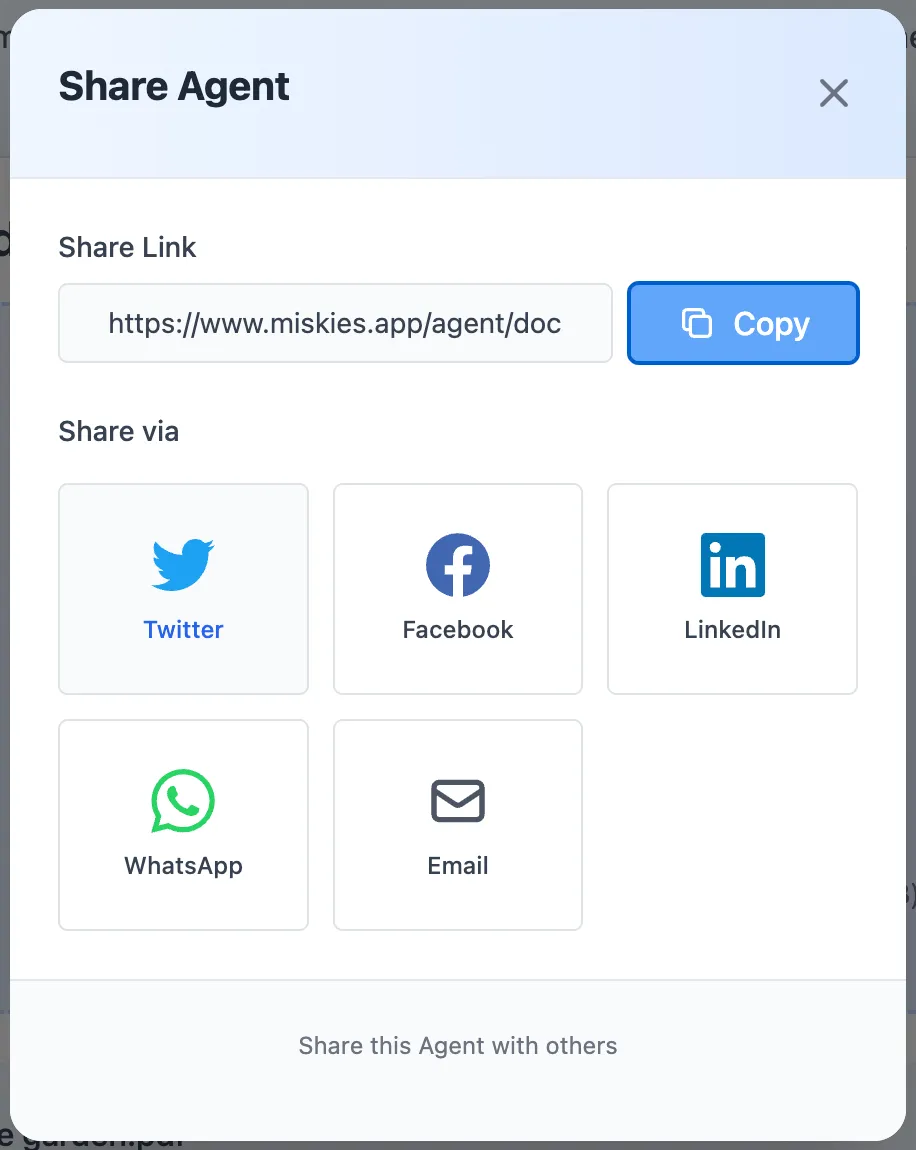
You'll get a unique link like:
https://www.miskies.app/agent/your-tool-name-abc123
Anyone with this link can:
- Use the tool immediately
- No account required
- No installation needed
- Get instant results
- Run from any device
Perfect for:
- Team collaboration
- Client deliverables
- Department-wide tools
- Customer self-service
- Community sharing
Real-World Examples of Generated AI Tools
Generate a Meeting Summarizer (45 seconds)
Your description: "Take raw meeting transcript text, identify action items, key decisions, and important deadlines. Output a structured summary with sections for: Attendees, Decisions Made, Action Items (with owners), Next Steps, and Deadlines."
Generated tool:
- Paste transcript → Click
- Get organized summary in 10 seconds
- Ready to email team
- Consistent format every time
Time saved: 15 minutes per meeting
Generate an Invoice Processor (40 seconds)
Your description: "Extract payment details from uploaded invoice PDFs. Create Excel with columns: Invoice Number, Invoice Date, Vendor Name, Line Items, Subtotal, Tax, Total, Due Date. If any field is missing, mark as 'NOT_FOUND'."
Generated tool:
- Upload invoice → Click
- Download Excel immediately
- Import directly to accounting software
- 100% consistent format
Time saved: 5 minutes per invoice × 50 invoices/month = 4+ hours monthly
Generate a Content Repurposer (50 seconds)
Your description: "Take a blog article URL and generate social media posts for LinkedIn (250 chars), Twitter (280 chars), and Facebook (200 words). Each post should highlight a key insight, use engaging hooks, and include relevant hashtags."
Generated tool:
- Paste article URL → Click
- Get 3 platform-optimized posts
- Copy and schedule
- Consistent brand voice
Time saved: 10 minutes per article × 20 articles/month = 3+ hours monthly
Generate a Resume Screener (55 seconds)
Your description: "Analyze uploaded resume PDF. Extract: Candidate Name, Email, Phone, Total Years Experience, Key Technical Skills, Education Level, Previous Companies, Previous Roles. Score 1-10 for Senior Software Engineer role requiring 5+ years Python, cloud experience, and team leadership."
Generated tool:
- Upload resume → Click
- Get candidate scorecard
- Compare applicants objectively
- Fast, consistent screening
Time saved: 3 minutes per resume × 100 resumes = 5 hours per hiring round
Advanced AI Tool Generation Techniques
Technique 1: Generate Tool Variations
Create multiple versions for different scenarios:
Invoice Processing:
- Quick Tool: Basic extraction only (30 sec)
- Detailed Tool: Full line-item analysis (45 sec)
- Audit Tool: Compliance checking (60 sec)
Use the right tool for each situation
Technique 2: Generate Tool Chains
Create workflows with connected tools:
Content Marketing Chain:
- Research Tool: Find trending topics (40 sec to generate)
- Writing Tool: Create article draft (50 sec to generate)
- SEO Tool: Optimize content (45 sec to generate)
- Social Tool: Generate promotion posts (40 sec to generate)
Total generation time: 3 minutes Result: Complete content workflow
Technique 3: Generate Department-Specific Tools
Sales Department (5 minutes to generate all):
- Lead qualifier (45 sec)
- Proposal generator (60 sec)
- Follow-up email writer (40 sec)
- CRM data formatter (50 sec)
Marketing Department (5 minutes to generate all):
- Social post creator (45 sec)
- Email subject tester (35 sec)
- Ad copy generator (50 sec)
- Campaign reporter (60 sec)
Operations Department (4 minutes to generate all):
- Document processor (55 sec)
- Data validator (40 sec)
- Report generator (50 sec)
- Workflow automator (45 sec)
Technique 4: Generate Progressive Versions
Version 1 (Week 1): Basic functionality Version 2 (Week 2): Add edge case handling Version 3 (Week 3): Optimize output format Version 4 (Week 4): Add quality checks
Each version takes under 1 minute to generate Result: Continuously improving tools
How to Generate Better AI Tools
Be Extremely Specific
Weak description: "Process this document"
Strong description: "Extract customer name, order ID, product SKU, quantity, unit price, and total price from sales order PDFs. Create Excel with columns: Customer, OrderID, SKU, Qty, UnitPrice, Total. Sort by OrderID ascending. Flag orders over $1000."
Result: Specific = Reliable
Define Output Format Precisely
Weak: "Give me a summary"
Strong: "Create Word document with these exact sections: Executive Summary (3 sentences), Key Findings (bullet list), Recommendations (numbered list), Next Steps (bullet list)"
Result: Precise = Consistent
Include Edge Cases
Add statements like:
- "If date is missing, use 'DATE_UNKNOWN'"
- "If amount is $0, skip that line item"
- "If format is unexpected, flag as 'MANUAL_REVIEW'"
Result: Robust tools that handle real-world messiness
Specify Data Transformations
Instead of: "Get the amounts"
Write: "Extract all dollar amounts, convert to USD using current exchange rates, round to 2 decimal places, sum for total"
Result: Exact processing you need
Test With Difficult Examples
Don't just test with perfect data:
- Upload corrupted files
- Try maximum sizes
- Use edge cases
- Test unexpected formats
Result: Identify issues before sharing
Common Mistakes When Generating AI Tools
Mistake #1: Being Too Vague
Problem: "Analyze the document and tell me important stuff"
Impact: Inconsistent, unpredictable results
Fix: "Extract sections 3-5 from contract PDFs, identify monetary obligations, flag any amounts exceeding $100,000, output as Excel with columns: Section, Obligation, Amount, Party Responsible"
Mistake #2: Not Testing Before Sharing
Problem: Generating and immediately sharing without trying it
Impact: Broken tools, frustrated users, wasted time
Fix: Always test with 3-5 real examples before sharing
Mistake #3: Undefined Output Format
Problem: Not specifying Excel vs Word vs Text
Impact: Tool generates format users can't use
Fix: "Create Excel file with..." or "Generate Word document with..." or "Output plain text summary with..."
Mistake #4: Ignoring User Experience
Problem: Tool works but is confusing to use
Impact: Low adoption, many support questions
Fix: Include clear instructions in tool description, provide example inputs
Mistake #5: One Tool for Everything
Problem: Trying to handle 10 different scenarios with one tool
Impact: Unreliable, slow, error-prone
Fix: Generate separate, specialized tools for distinct tasks
Measuring the Impact of Generated AI Tools
Calculate Time Savings
Formula:
Time per manual task × Number of tasks per month = Hours saved
Example: Email Response Tool
- Manual time: 5 minutes per email
- Tool time: 30 seconds per email
- Saved: 4.5 minutes per email
- Volume: 100 emails per month
- Total saved: 450 minutes (7.5 hours) monthly
Calculate Cost Savings
Formula:
Hours saved × Hourly rate = Money saved
Example:
- Hours saved: 7.5 per month
- Hourly rate: $30
- Monthly savings: $225
- Annual savings: $2,700
From one tool that took 45 seconds to generate!
Track Adoption Metrics
Measure:
- Number of people using each tool
- Frequency of use
- Expansion to new departments
- User satisfaction scores
Goal: High usage = successful tool generation
The Power of a Generated Tool Library
Build Your Personal Library (30 minutes total)
Generate 30 tools in 30 minutes:
- 1 tool per minute
- Cover your most common tasks
- Eliminate repetitive work
- Focus on high-value activities
Result: Massive productivity boost
Build Team Libraries (2 hours total)
Generate tools for entire department:
- Identify team's top 20 repetitive tasks
- Generate tool for each (50 sec average)
- Share all tools with team
- Train team to use
Result: Department-wide efficiency transformation
Build Company Libraries (1 day total)
Generate enterprise-wide tools:
- Survey all departments
- Identify common pain points
- Generate solutions
- Deploy across organization
Result: Company-wide automation culture
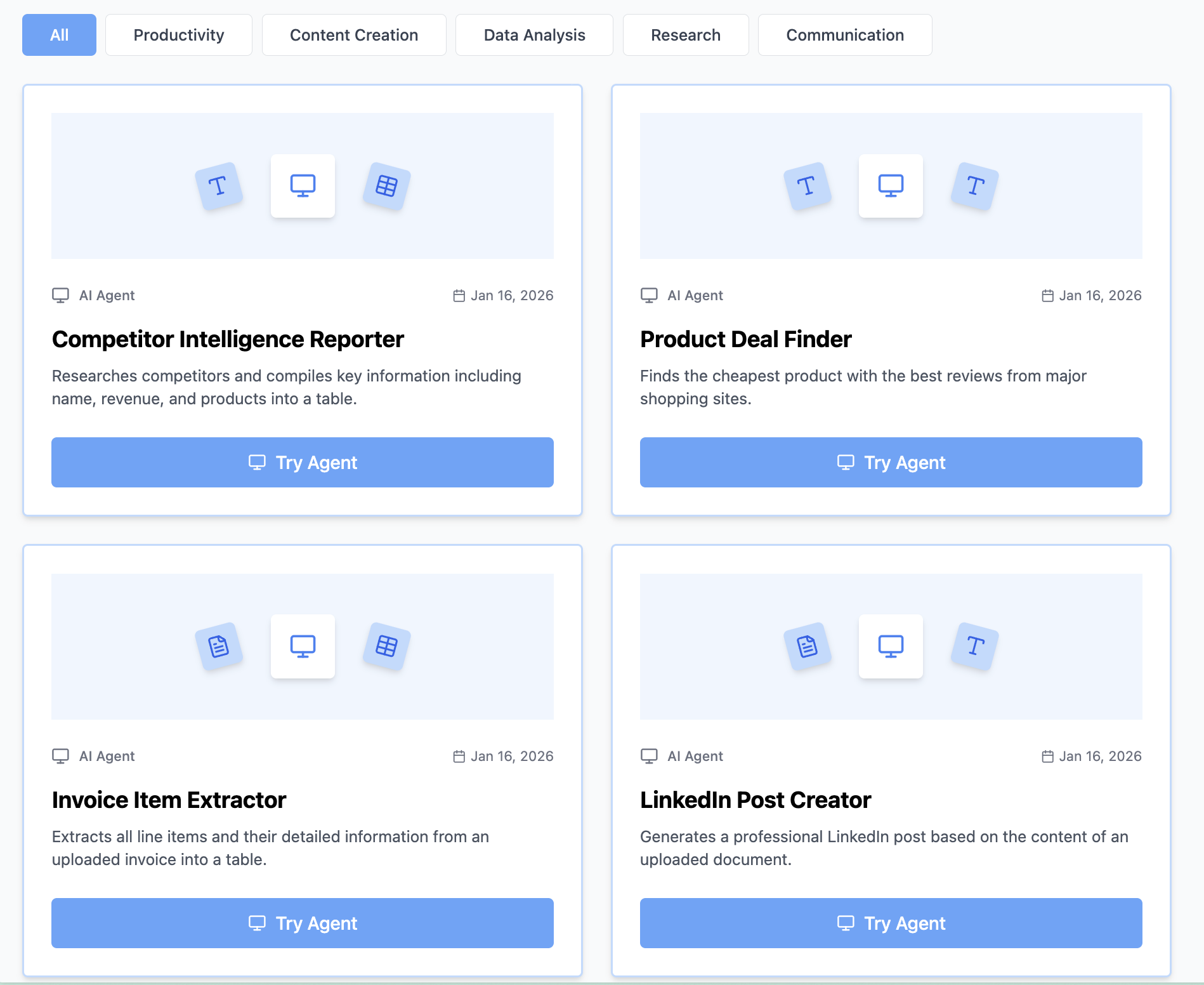
Discover Tools Others Have Generated
Explore the Tool Gallery to:
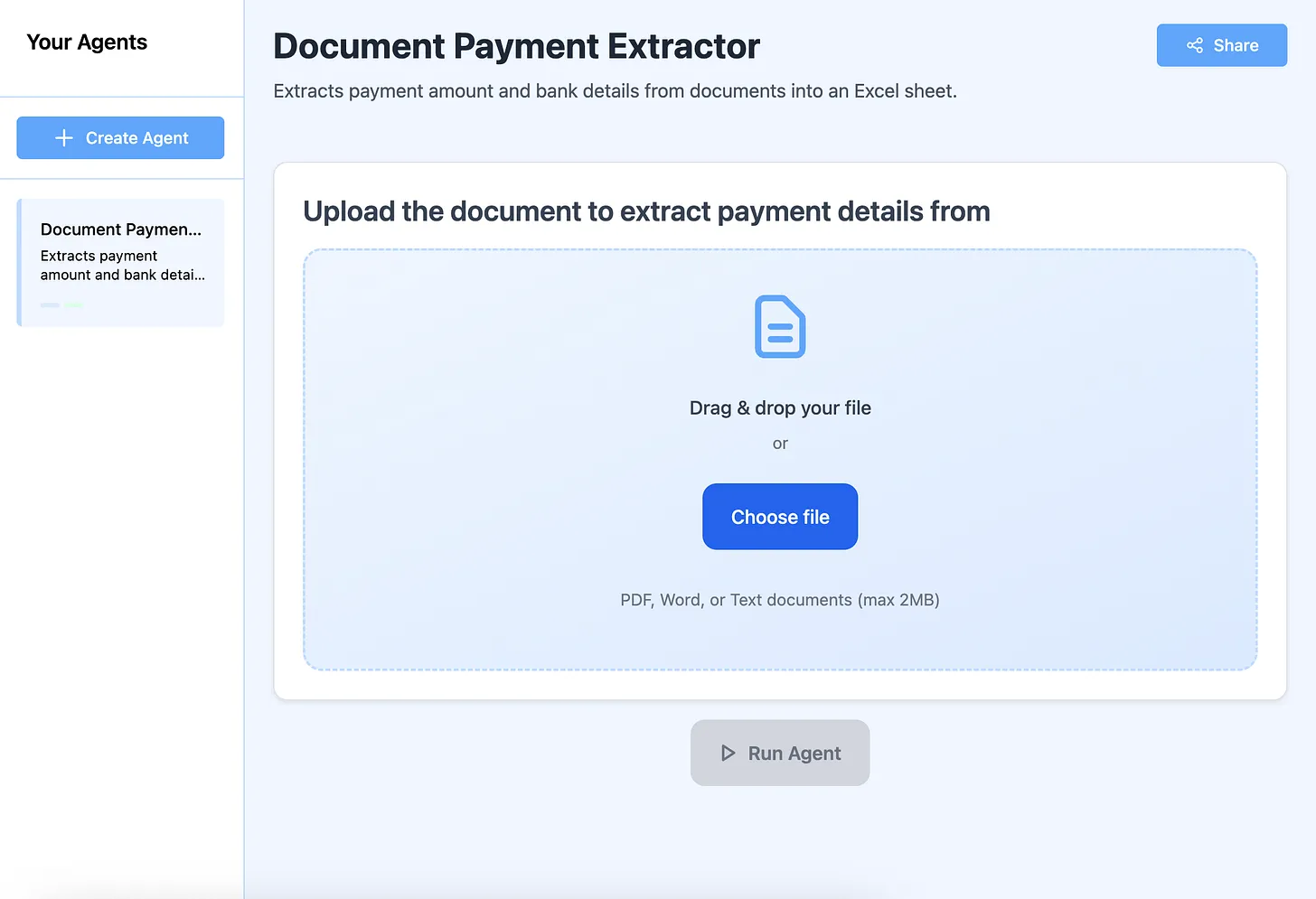
- See real-world examples
- Get inspiration for your use cases
- Try community-built tools
- Learn successful patterns
- Adapt ideas to your needs
Popular categories:
- Invoice and receipt processors
- Email generators
- Data extractors
- Report creators
- Content repurposers
Get Help Generating Better Tools
Tool not working perfectly?
The support team helps within 24 hours to:
- Refine tool descriptions
- Fix output formatting
- Add capabilities
- Optimize performance
- Handle edge cases
No technical knowledge required - just describe what you need
Start Generating AI Tools Right Now
Stop spending hours on repetitive tasks. Generate AI tools that automate your work in under 60 seconds each.
Your 5-minute quick start:
Minute 1: Identify your most time-consuming repetitive task Minute 2: Go to Miskies AI and click "Create+" Minute 3: Write a specific description of what you need Minute 4: Generate and test your tool Minute 5: Share with your team and start saving time
Free Forever • Generate Unlimited Tools • Share Instantly • No Coding
Every tool you generate saves hours of work. The return on your 60-second investment is enormous.
Generate your first AI tool now and join the automation revolution.
Keywords: generate ai tool, generate ai tools, ai tool generator, instant ai tools, create ai tools instantly, build ai tools fast, no code ai tool builder, automated tool generation, ai tool maker, quick ai tool creation, generate custom ai tools